Simplify Data Collection. Streamline Workflows
Effortlessly create, customize, and automate forms inside Salesforce no coding needed.
Talk to Our TeamEver built a survey form and struggled to get enough meaningful responses due to its design or delivery? Even in 2025, average response rates remain around 33% for this reason.
Salesforce surveys have evolved beyond static questionnaires. They now capture real-time feedback at the most impactful moments, after a purchase, support interaction, onboarding, or event, turning feedback into an active conversation rather than a disruption.
This is where Forms Made Easy support becomes invaluable. Instead of relying on complex configurations or external tools, businesses can create industry-specific Salesforce surveys that are directly connected to Salesforce objects, records, and workflows. Every response is immediately actionable, enabling teams to capture feedback in real time and integrate it directly into operational processes.
In this guide, we’ll show how to create survey form in Salesforce and how Forms Made Easy helps transform responses into immediate, data-driven insights.
Steps to Create a Survey Form in Salesforce Using Forms Made Easy
With Forms Made Easy, you can create, customize, and manage Salesforce surveys directly inside Salesforce without complex setup or development effort. Here are the quick steps for no-code form creation.
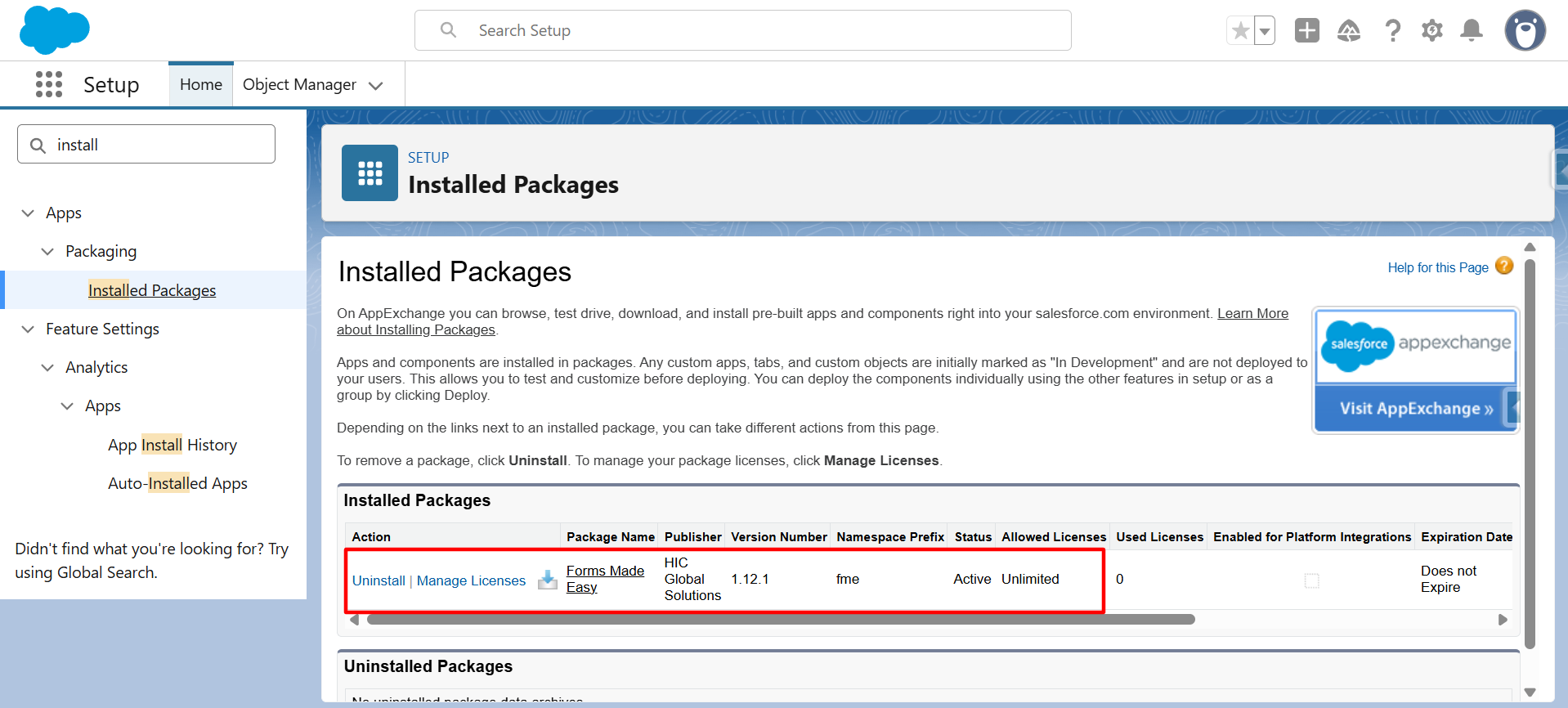
Step 1: Start by installing Forms Made Easy in your Salesforce org.
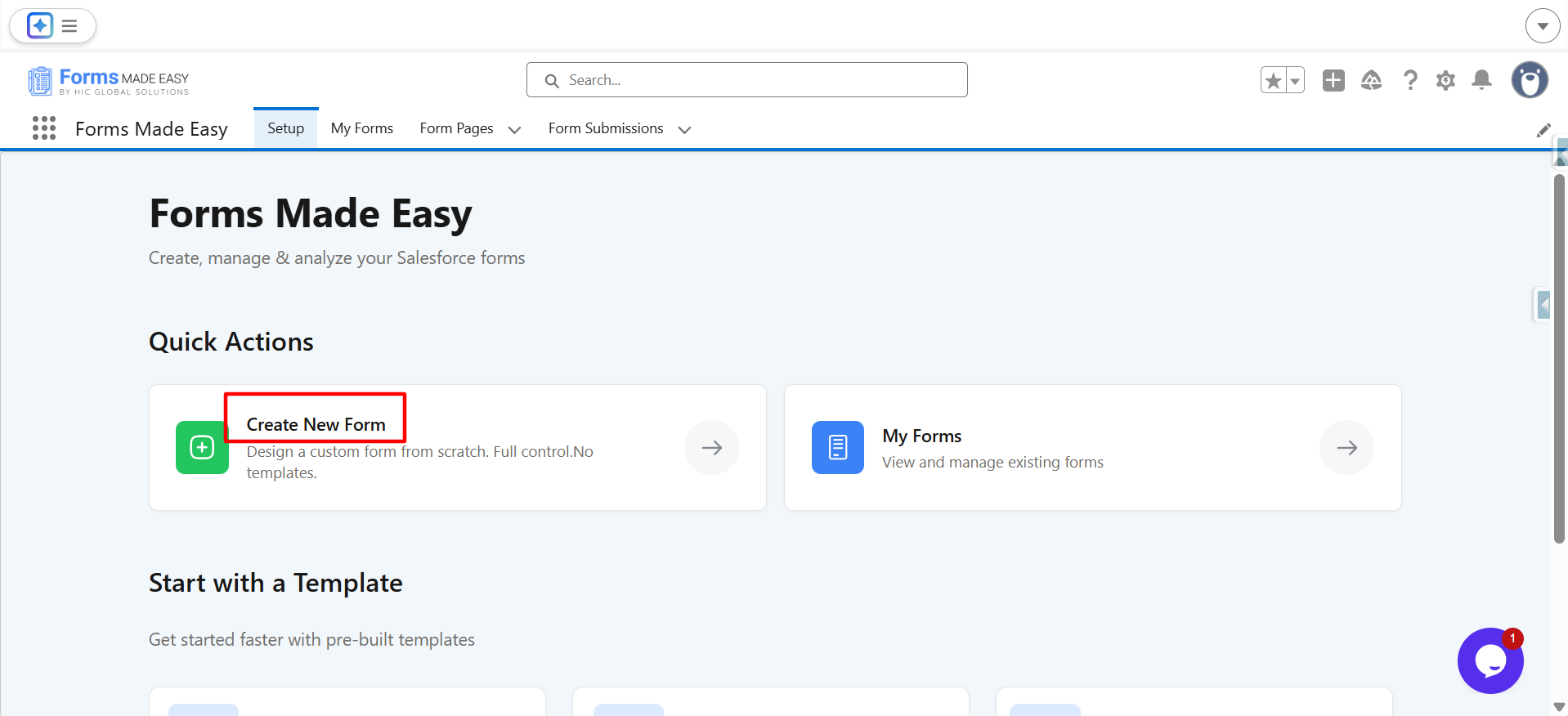
Step 2: After the setup is complete, click on the Create New Form button.
Step 3: In the Form Name section, enter the form name, for example, Product Feedback Survey.
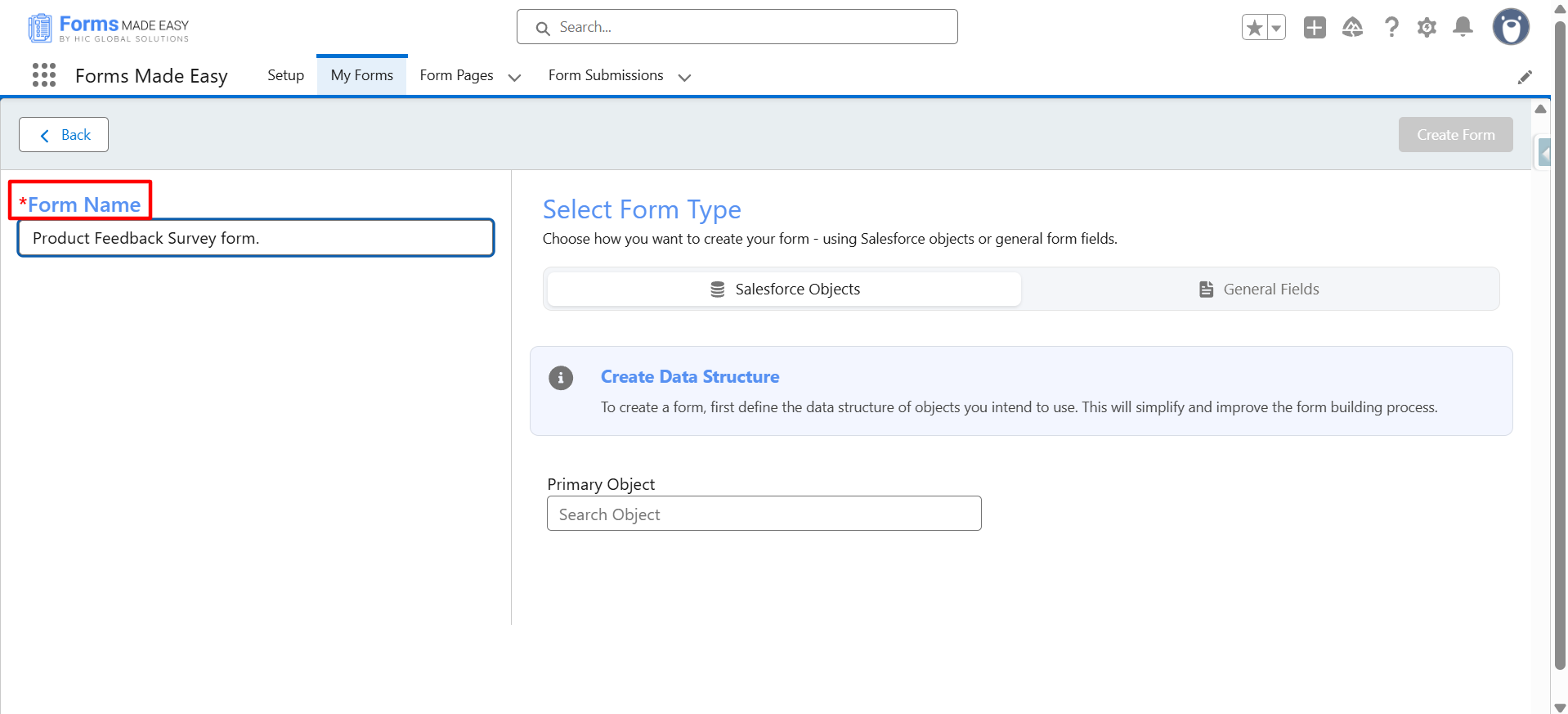
Step 4: Click on Salesforce Objects to select the required Salesforce object. The fields from the selected object will automatically be available for drag and drop. Here, we have chosen the Product object.
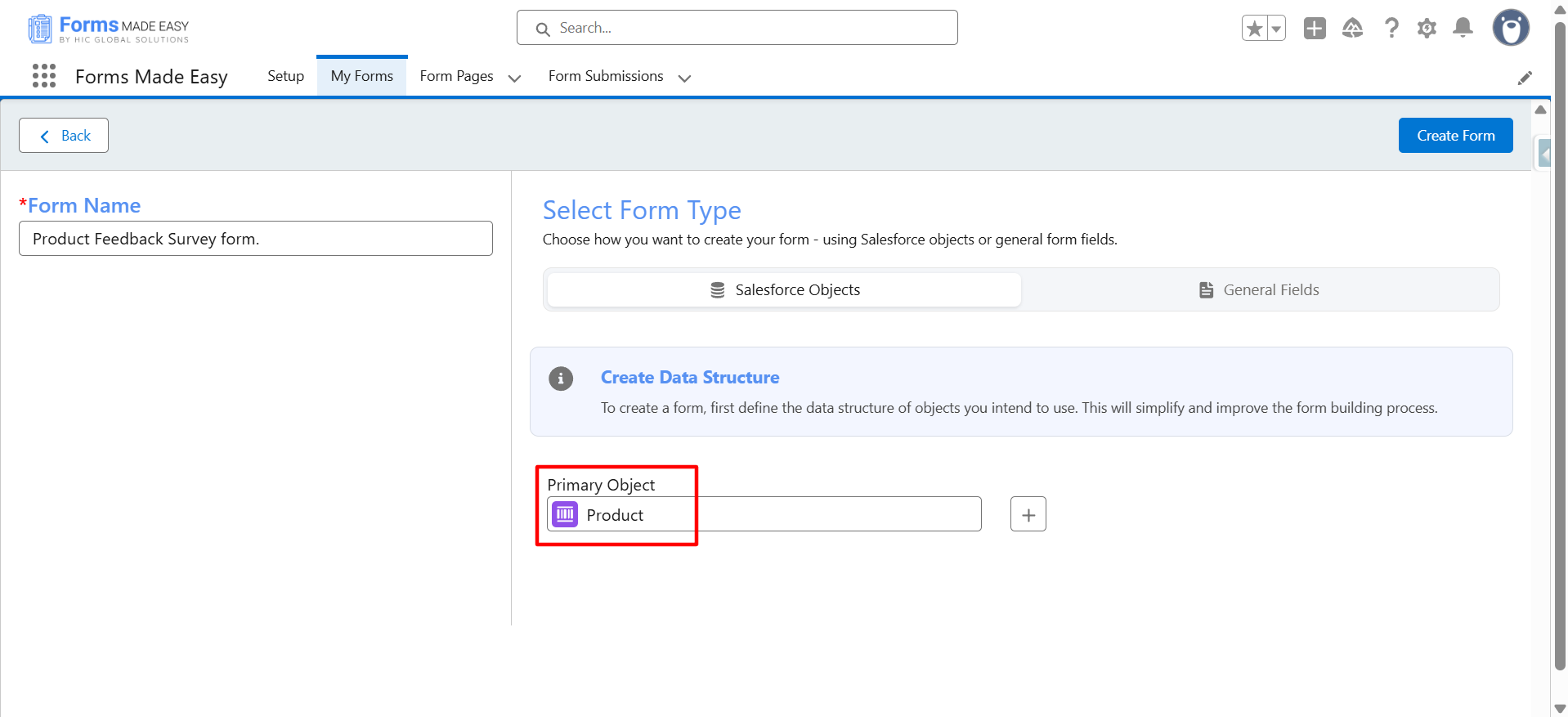
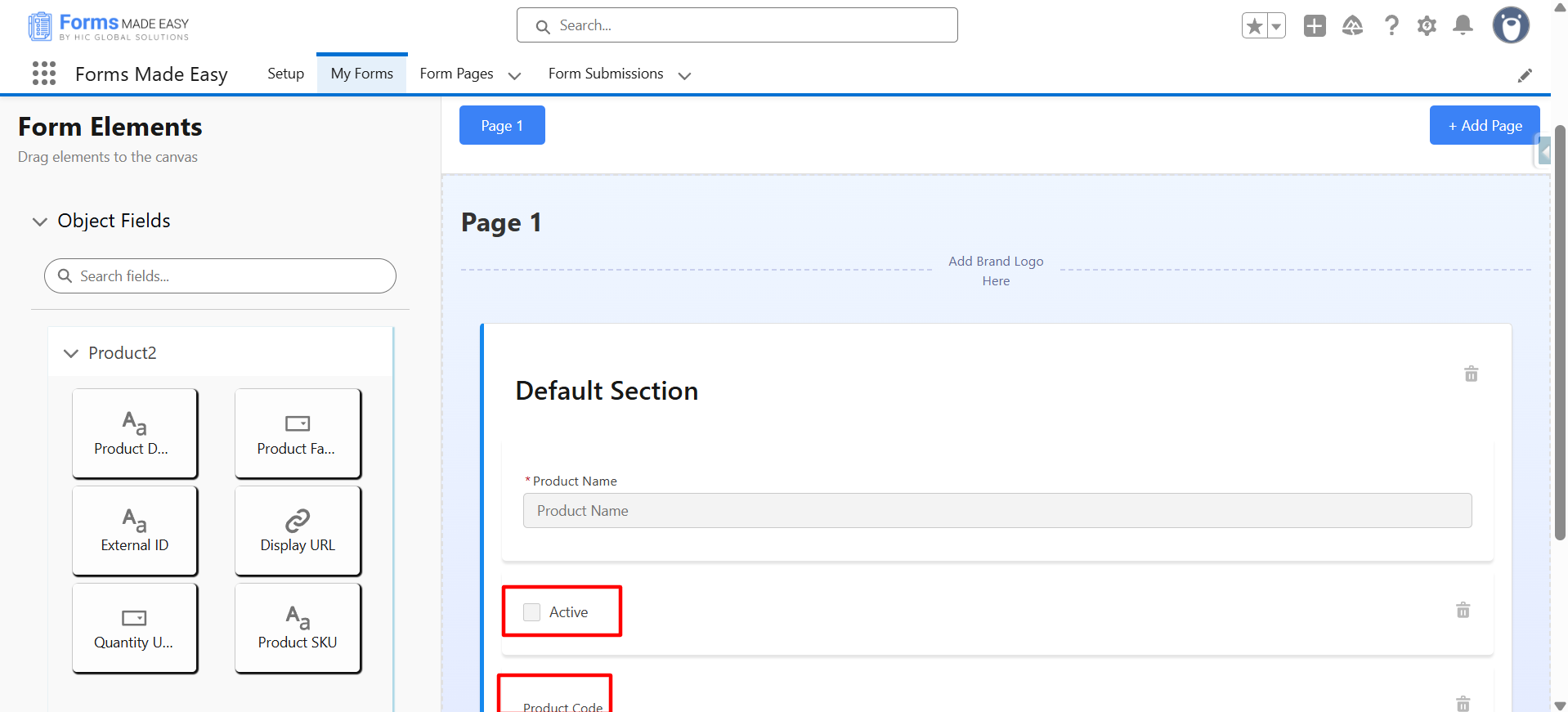
Step 5: The Product Name field is added by default. You can then drag and drop additional fields you want to include in the form.
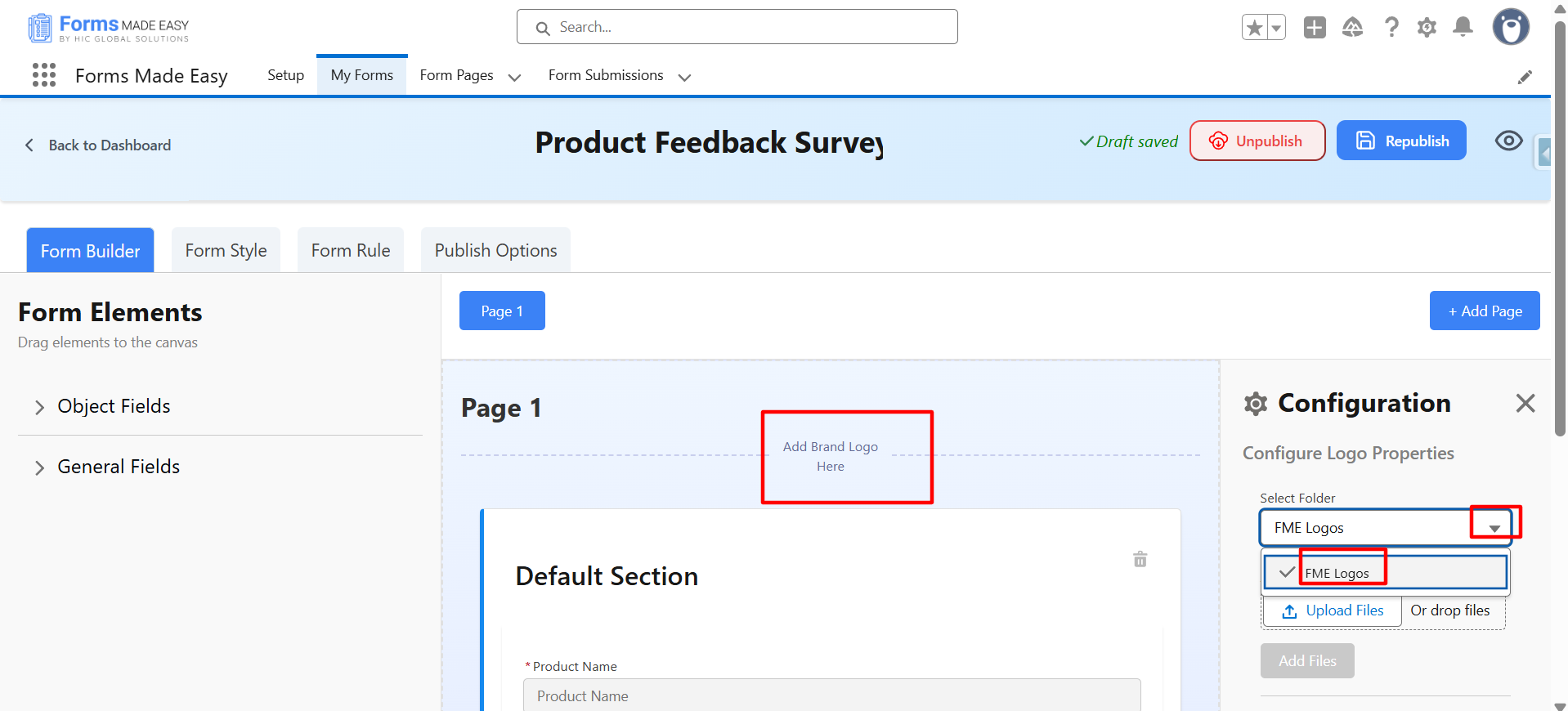
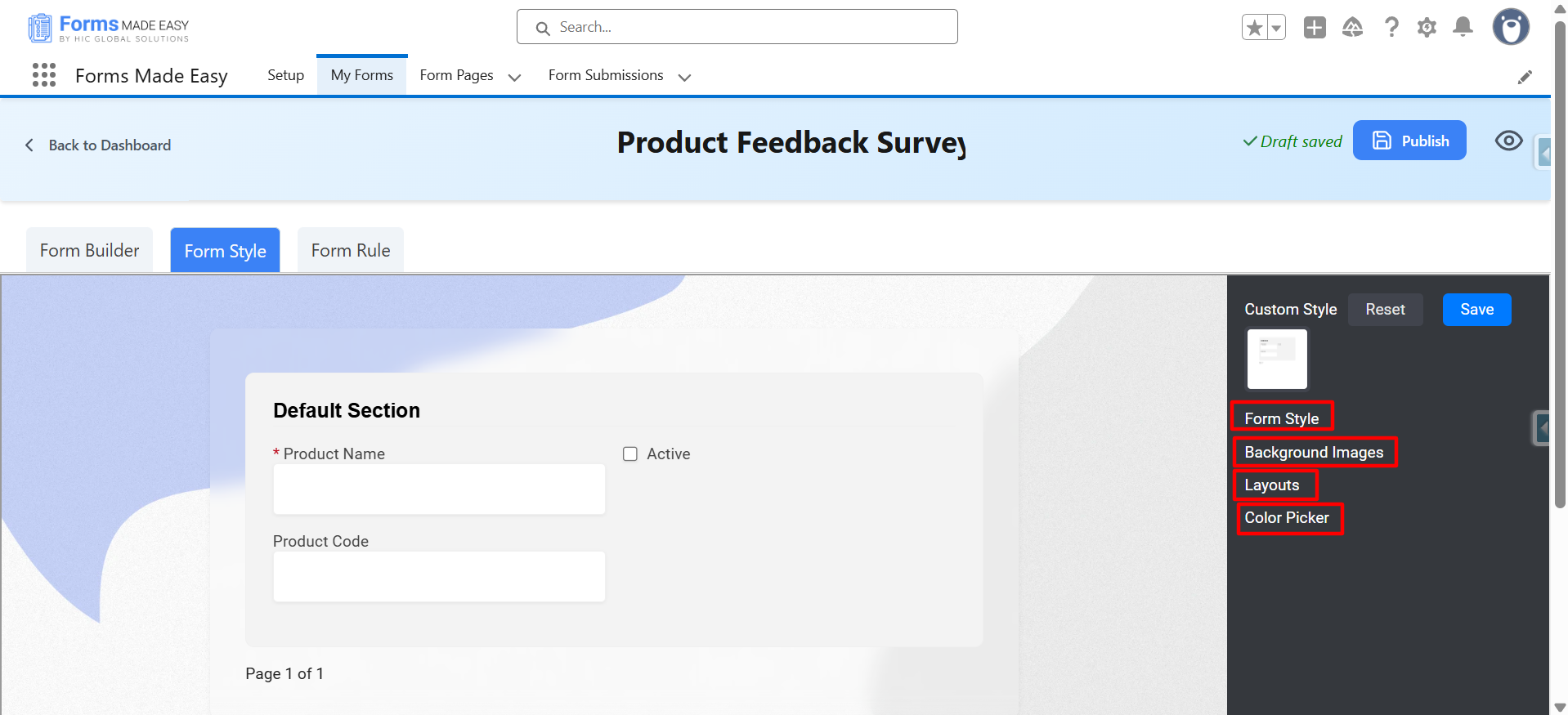
Step 6: Customize the form by adding your business logo, selecting a form style, choosing a background image, and configuring the layout and colors.
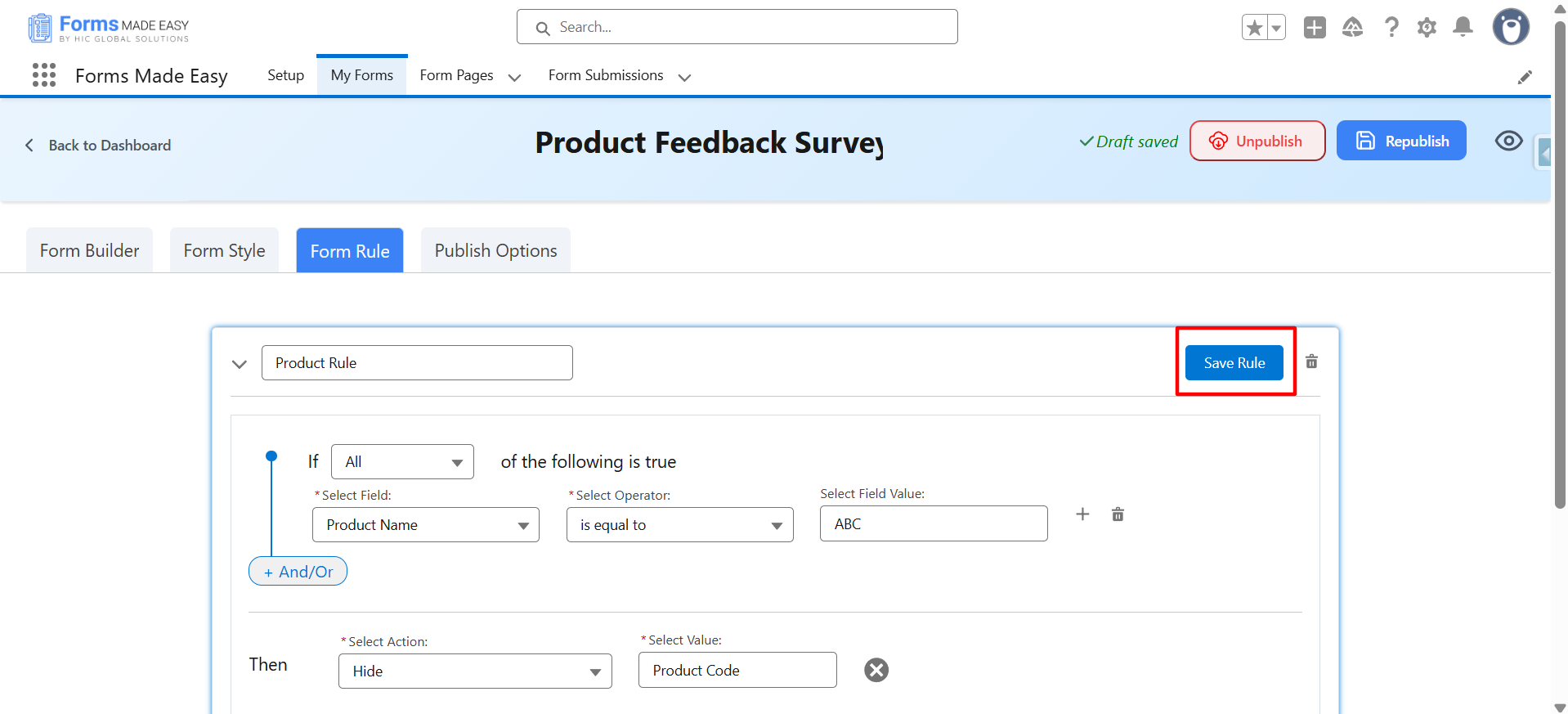
Step 7: Create Form Rules with conditional logic to show or hide fields, apply validations, and dynamically adapt the form based on user responses.
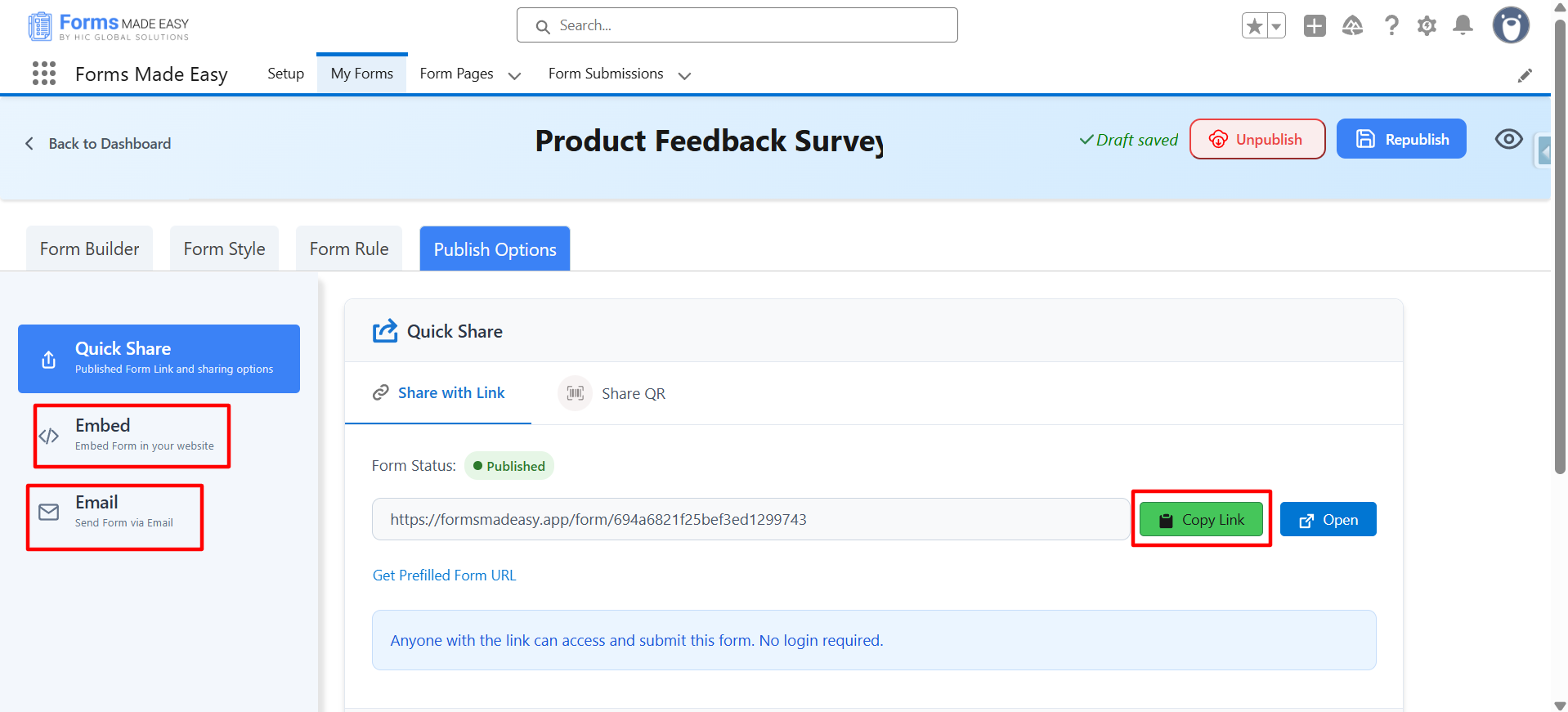
Step 8: Your form is now ready to go live. Publish it using multiple options such as a QR code, shareable link, embed, or email.
Creating your survey form with Forms Made Easy is quick and effortless. In just a few minutes, you can build, customize, and publish a fully branded survey form without any technical complexity.
Conclusion
Great surveys do more than collect answers; they strengthen your brand, build trust, and drive better decisions. When surveys are visually consistent, easy to complete, and context-aware, respondents are more likely to engage, resulting in higher-quality feedback that truly reflects customer and employee sentiment.
With Forms Made Easy, creating an impactful Salesforce survey becomes effortless. Teams can design, customize, and deploy a fully branded survey directly within Salesforce, without development effort or complex configuration. Every response is automatically linked to Salesforce data, workflows, and records, ensuring feedback doesn’t just get collected, but acted upon.
Whether you’re gathering customer satisfaction insights, measuring engagement, or conducting market research, Forms Made Easy helps you turn surveys into a strategic advantage, making every response count, right where your data already lives.