Which Salesforce Form Builder is Best: FormAssembly vs. 123FormBuilder
Discover which Salesforce form builder is best for your business—FormAssembly or 123FormBuilder. Compare features, pricing, and integration to make the right choice.



Stay ahead with the latest tips, trends, and expert insights
Discover what’s new, improved, and fixed in our latest updates
Get quick answers and step-by-step guidance whenever you need help

Build dynamic, AI-powered, no-code web-to-lead forms in Salesforce with Forms Made
Create Your First Form
Effortlessly create, customize, and automate forms inside Salesforce no coding needed.
Talk to Our TeamWhen businesses invest in Salesforce, they’re not just looking for a CRM; they’re investing in a complete ecosystem to manage customer relationships, sales, marketing, and operations. But Salesforce can only be as powerful as the data that flows into it. That’s where Salesforce form builders come into play.
Think about it every time a customer fills out a lead form on your website, submits feedback, registers for an event, or completes a service request; that data needs to be captured, validated, and synced into Salesforce. Without a reliable form builder, this process can be messy, error-prone, and time-consuming.
Capturing Leads Directly into Salesforce – Forms are the first point of interaction with potential customers. A good form builder ensures every lead goes straight into Salesforce without manual intervention.
Collecting Customer Feedback – Businesses run surveys, NPS (Net Promoter Score) checks, and feedback forms. Integrating these directly into Salesforce helps improve service quality and customer retention.
Automating Workflows – A Salesforce-native form builder can trigger automated workflows, assign tasks to sales reps, or send follow-up emails the moment a form is submitted.
Reducing Manual Data Entry – Manual data entry not only wastes time but also increases the risk of errors. Forms that sync directly with Salesforce eliminate this problem.
Ensuring Security & Compliance – Sensitive industries like healthcare, finance, or education need a secure, compliant form builder that ensures data privacy while integrating seamlessly into Salesforce.
In short, forms are no longer just about collecting data; they’re about enabling smarter, faster, and more secure business processes inside Salesforce.
Discover which Salesforce form builder is best for your business—FormAssembly or 123FormBuilder. Compare features, pricing, and integration to make the right choice.
FormAssembly has long been recognized as one of the most advanced and feature-rich Salesforce form builders in the market. It’s trusted by enterprises, nonprofits, healthcare providers, and government organizations because of its strong focus on security, compliance, and complex workflow automation.
Unlike basic form builders, FormAssembly is designed for organizations that deal with large volumes of sensitive data and need more than just simple data collection. Its reputation as an enterprise-ready tool comes from its robust Salesforce integration and ability to handle advanced requirements that go beyond traditional forms.
Deep Salesforce Integration – It allows detailed mapping of form fields to Salesforce objects, ensuring data flows exactly where you need it.
Security & Compliance – Perfect for industries like healthcare (HIPAA compliant), finance (GDPR-ready), and education. It gives peace of mind that customer data is safe.
Advanced Logic & Automation – You can build complex forms with conditional logic, approval workflows, and even automate multi-step processes.
High Cost – While packed with features, FormAssembly comes at a steep price. For many small and mid-sized businesses, the cost outweighs the benefits.
Steep Learning Curve – The advanced features can overwhelm non-technical users. Businesses often need technical support or additional training.
Complex Setup – Customization requires more effort compared to simpler tools.
If you’re a large enterprise with high compliance requirements and complex workflows, FormAssembly is a solid choice. But if you’re a startup or a growing business, its cost and complexity might not align with your needs.
123FormBuilder takes a very different approach compared to enterprise-focused tools like FormAssembly. It positions itself as a user-friendly, quick-to-deploy form builder that appeals primarily to startups, small businesses, and teams that want to get forms up and running without much technical effort.
Its biggest strength lies in its simplicity and flexibility. With drag-and-drop functionality, pre-designed templates, and straightforward integrations, 123FormBuilder makes form building accessible even to non-technical users. However, while it excels in ease of use, it does fall short when it comes to deep Salesforce integration and advanced customization two critical needs for businesses heavily invested in Salesforce.
Drag-and-Drop Simplicity – Anyone can build forms without coding knowledge.
Variety of Templates – From lead generation forms to event registration and surveys, it offers ready-to-use templates.
Affordable – Pricing is more attractive than FormAssembly, which makes it appealing for small businesses.
Limited Salesforce Integration – While it integrates with Salesforce, the depth is nowhere near FormAssembly. Complex workflows and object mapping are restricted.
Basic Customization – Great for simple forms, but falls short when businesses need advanced customization.
Weaker Security – Compliance features are not strong enough for industries with strict regulations.
If you’re a small business or a beginner looking for a quick and easy form solution, 123FormBuilder is a good option. However, its limited Salesforce integration makes it unsuitable for businesses that rely heavily on CRM automation.
Now, let’s talk about a solution built exclusively for Salesforce users, Forms Made Easy. Unlike generic form builders that try to integrate with dozens of platforms, Forms Made Easy is laser-focused on Salesforce. It doesn’t just “connect” with Salesforce; it’s designed to maximize Salesforce’s full potential by making form creation, data collection, and workflow automation seamless and effortless.
This Salesforce-first approach means businesses don’t have to struggle with partial integrations, limited mapping, or clunky workflows. Instead, every form is built to work natively with Salesforce objects, making data flow smoother, faster, and error-free.
Let’s dive into what makes Forms Made Easy stand out from both FormAssembly and 123FormBuilder.
Unlike generic form builders, Forms Made Easy was created with Salesforce at its core. It offers true native integration, meaning that form submissions map directly into Salesforce objects, standard or custom, without the need for complicated workarounds.
This makes Forms Made Easy the ideal choice for businesses that want end-to-end Salesforce alignment.
One of the biggest challenges with advanced form builders like FormAssembly is complexity. Forms Made Easy changes that with a simple, intuitive drag-and-drop interface that anyone can use whether you’re a Salesforce admin, marketer, or business owner.
This balance of simplicity and power ensures that you get enterprise-grade functionality without the steep learning curve.
While FormAssembly is known for its premium pricing and 123FormBuilder for its affordability and limited functionality, Forms Made Easy gives you the best of both worlds.
It offers affordable plans that cater to startups, SMBs, and enterprises, without forcing you to compromise on features. You get advanced Salesforce integration, security, and customization at a price point that makes sense for growing businesses.
This makes it not just a form builder, but a long-term investment for Salesforce users who want value for money.
In today’s data-driven world, security isn’t optional. Businesses, especially in industries like healthcare, finance, and education, need assurance that sensitive information is handled securely.
Forms Made Easy comes with:
This makes it suitable not just for small businesses, but also for enterprises with strict compliance requirements.
Every business has unique processes, and Forms Made Easy is designed to adapt to them. Unlike 123FormBuilder, which offers only basic customization, Forms Made Easy gives you complete flexibility.
This ensures your forms don’t just look good but also work exactly the way your business needs them to.
Forms Made Easy is more than just another form builder; it’s a Salesforce-first solution. By combining deep integration, user-friendly design, affordable pricing, enterprise-level security, and flexible customization, it delivers the perfect balance that businesses have been searching for.
Compared to FormAssembly → It’s simpler to use, quicker to deploy, and more cost-effective.
Compared to 123FormBuilder → It offers much deeper Salesforce integration, stronger security, and enterprise-ready customization.
For startups, SMBs, and enterprises alike, Forms Made Easy emerges as the best Salesforce form builder App, helping businesses capture data effortlessly, sync it accurately, and use Salesforce to its fullest potential.
Here’s a quick look at how the three tools stack up:
| Feature/Criteria | Forms Made Easy | FormAssembly | 123FormBuilder |
| Ease of Use | ⭐⭐⭐⭐⭐ (No-Code) | ⭐⭐⭐ (Requires setup) | ⭐⭐⭐⭐ (Simple) |
| Salesforce Integration | ⭐⭐⭐⭐⭐ (Native) | ⭐⭐⭐⭐ (Advanced) | ⭐⭐⭐ (Basic) |
| Pricing | ⭐⭐⭐⭐⭐ (Affordable) | ⭐⭐ (Expensive) | ⭐⭐⭐⭐ (Moderate) |
| Best For | All Businesses | Enterprises | Small Teams |
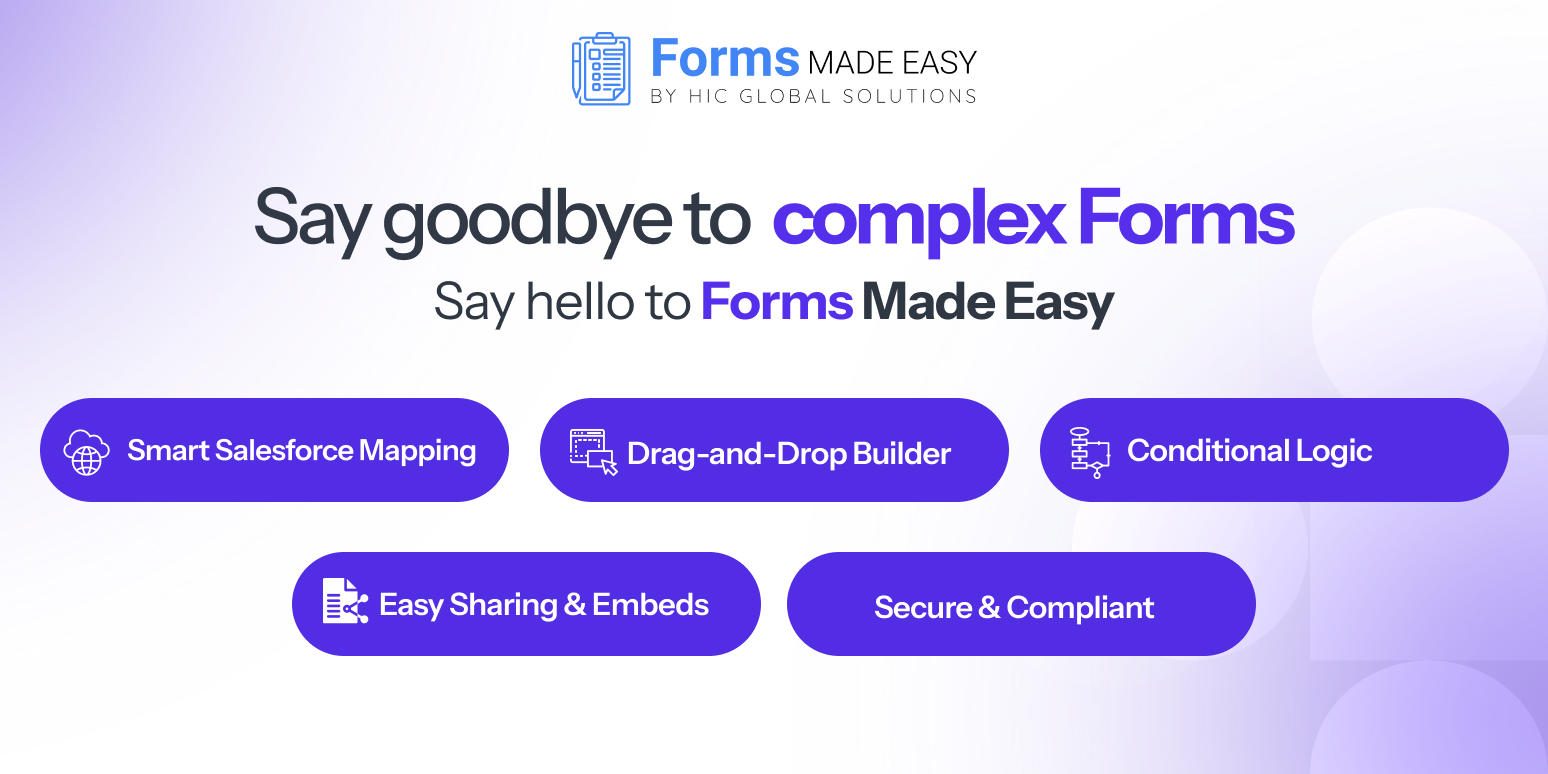
Salesforce users have one thing in common: they want their CRM to work as smoothly and efficiently as possible. The real challenge comes when businesses try to connect customer data with Salesforce through forms. That’s where Forms Made Easy shines. Unlike generic form builders, it’s created with Salesforce users in mind, offering simplicity, power, and reliability in one package.
Let’s break down why Salesforce users consistently choose Forms Made Easy as the Best Salesforce Form Builder tool over other form builders:
Manual data entry is one of the biggest pain points for Salesforce users. Imagine receiving hundreds of leads daily from your website, events, or campaigns, and having to upload them manually into Salesforce. Not only is this process slow, but it also leaves room for errors.
With Forms Made Easy, every submission flows directly into Salesforce objects, Leads, Accounts, Contacts, or any custom object you define. This means your sales team gets real-time access to new leads without lifting a finger. For startups with small teams and enterprises with huge volumes of data, this translates into hours of saved work every week.
Data accuracy is everything in Salesforce. Inaccurate or duplicated records can affect forecasting, reporting, and even customer relationships.
Forms Made Easy ensures real-time data syncing with Salesforce. The moment a form is submitted, the information appears exactly where it belongs inside Salesforce no delays, no mismatched fields. Whether it’s a customer updating their contact details or a new lead registering for your webinar, your CRM is always updated instantly.
This eliminates the “data lag” issue that businesses often face with third-party integrations and ensures decision-makers always work with fresh, reliable information.
One-size-fits-all forms don’t work for modern businesses. A small startup may only need a simple lead form, while a healthcare organization might need HIPAA-compliant intake forms with conditional fields.
Forms Made Easy provides complete customization:
Whether you’re collecting feedback, processing registrations, or handling customer service queries, Forms Made Easy ensures your forms are aligned with your exact business processes and customer journeys.
Customer trust is built on data security. With cyber threats and compliance regulations becoming stricter, Salesforce users need a form builder that prioritizes security.
Forms Made Easy offers:
For industries like healthcare, finance, and government, these features aren’t optional; they’re a necessity. Forms Made Easy ensures that sensitive customer information is always protected, giving you and your customers peace of mind.
One of the standout reasons Salesforce users prefer Forms Made Easy is its scalability.
For Startups & Small Businesses: It offers affordability, simplicity, and ready-to-use templates to start capturing leads immediately.
For Mid-Sized Companies: It provides customization, workflow automation, and real-time syncing that help streamline operations.
For Enterprises: It delivers security, compliance, and advanced integration features needed to manage thousands of daily records without errors.
No matter the size of your business, Forms Made Easy adapts to your requirements.
Whether you need to build lead capture forms, customer feedback surveys, or complex data-driven workflows, Forms Made Easy ensures that your forms work seamlessly within Salesforce without draining your budget or resources.
Choosing the right Salesforce form builder can significantly impact how your business captures, manages, and acts on customer data. While both FormAssembly and 123FormBuilder bring certain advantages, they either fall short on usability or become too costly to scale. For most businesses, the smartest choice is Forms Made Easy, a tool that delivers powerful Salesforce integration, intuitive form building, and cost-effective scalability.
Ready to simplify your Salesforce forms? Try Forms Made Easy Salesforce Form Builder today and experience the difference.
👉 Start your free trial now and see how easy Salesforce forms can be. Book A Demo
Get Quick Answers – Visit Our Support Center Today