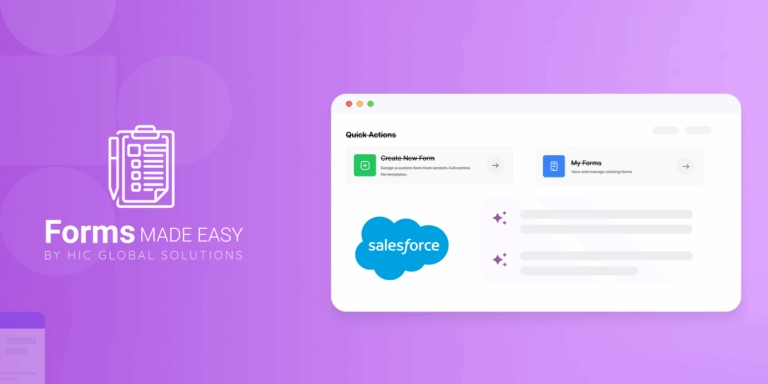
Build Your No-Code Forms in Minutes
Effortlessly create, customize, and automate forms inside Salesforce no coding needed.
Talk to Our TeamTired of juggling spreadsheets and manual entries just to gather customer data? Salesforce Form Builder Solutions take the pain out of data collection, helping businesses capture leads, feedback, and inquiries effortlessly—all while keeping everything synced in Salesforce in real time.
With powerful drag-and-drop features and deep Salesforce integration, a No Code Salesforce Form Builder eliminates the need for coding while ensuring that every submission is accurately mapped to your CRM data.
What Are Salesforce Form Builder Solutions?
A Salesforce Form Builder Solution is a specialized tool or app designed to help businesses build dynamic, customizable online forms that directly integrate with Salesforce. These forms can capture leads, cases, surveys, event registrations, or any type of customer data—and automatically sync it with Salesforce records in real time.
Unlike traditional web forms, a Salesforce Online Form Builder ensures:
- Instant data sync with Salesforce objects (Leads, Contacts, Opportunities, etc.)
- Secure data management and user authentication.
- No need for third-party middleware or manual import/export
Key Features of a Salesforce Form Builder
Here are some standout features that make Salesforce Form Builder Solutions indispensable for businesses of all sizes:
Drag-and-Drop Interface – Easily build custom forms without any coding.
Dynamic Field Mapping – Automatically link form fields to Salesforce objects.
Real-Time Data Sync – Ensure your CRM stays updated the moment a form is submitted.
Conditional Logic – Create personalized experiences by showing or hiding fields based on responses.
Responsive Design – Optimize form layouts for mobile, tablet, and desktop.
Security & Compliance – Protect customer data with Salesforce-native security standards.
Why Businesses Need Salesforce Form Builder Solutions
Whether you’re a startup or an enterprise, integrating a Salesforce Form Builder can transform the way you collect and manage information. Here’s how:
Improved Efficiency: Eliminate manual data entry and reduce human errors.
Faster Lead Conversion: Capture and route leads directly to your Salesforce pipeline.
Enhanced Customer Experience: Offer smooth, branded online forms for every touchpoint.
Centralized Data Management: Keep all your form data unified and accessible within Salesforce.
Use Cases of Salesforce Online Form Builders
Lead Generation Forms: Capture leads from landing pages and automatically assign them to sales reps.
2Customer Feedback Forms: Collect and analyze satisfaction data right in Salesforce.
Event Registration Forms: Manage RSVPs and track attendees within campaigns.
Support Request Forms: Streamline customer service workflows with automated case creation.
Internal Request Forms: Simplify HR, IT, and operations processes with internal form automation.
Best Salesforce Form Builder Solution: Forms Made Easy
When it comes to finding a powerful, flexible, and Salesforce-native form builder, Forms Made Easy stands out as one of the best Salesforce Form Builder Solutions in the market. Designed specifically for Salesforce users, it enables businesses to create, customize, and automate online forms without writing a single line of code.
Why Choose Forms Made Easy?
Here’s why Forms Made Easy is the preferred Salesforce Online Form Builder for growing businesses:
100% Salesforce-Native: Built directly on the Salesforce platform for seamless integration and enhanced data security.
Drag-and-Drop Interface: Create professional, branded forms in minutes no technical expertise required.
Real-Time Data Sync: Automatically syncs all submissions with Salesforce objects such as Leads, Contacts, and Cases.
Dynamic Logic & Automation: Build smarter forms with conditional logic, workflows, and automated notifications.
Advanced Customization: Tailor forms to match your business needs, from lead capture to service requests.
Scalable & Secure: Trusted by enterprises for its compliance with Salesforce Shield and other security standards.
Whether you’re collecting leads, feedback, or internal data, Forms Made Easy simplifies the entire process—helping teams save time, minimize errors, and keep their Salesforce data clean and actionable.
Conclusion
In an era where efficiency and accuracy define business success, Salesforce Form Builder Solutions offer the ultimate way to streamline data collection. From lead generation to customer support, these tools empower teams to collect, analyze, and act on data effortlessly—right within Salesforce.
Whether you’re looking for a Salesforce Online Form Builder to automate workflows or improve CRM accuracy, the right solution can transform your business processes and drive growth.