Build Your No-Code Forms in Minutes
Design, automate, and connect forms seamlessly within Salesforce. Capture customer data, approvals, and feedback no code required.
Talk to Our TeamForms inside Salesforce play a bigger role than they appear to at first glance. Using a Salesforce form creation tool like Forms Made Easy helps capture leads, collect customer responses, store service details, log internal feedback, and often acts as the very first touchpoint where useful information lands in the system.
But the moment these entries start piling up, teams usually run into the same challenge:
How do we analyze this data comfortably outside Salesforce?
Exporting form submissions as a CSV (comma-separated values) file remains one of the simplest and most adaptable ways to work with Salesforce form builder solutions and Salesforce online form builder data beyond the platform. Whether someone wants to run a quick analysis, share inputs with a non-Salesforce user, or plug the information into another tool, CSV export becomes the most convenient method. Using Forms Made Easy, this process can be even faster and more reliable.
This blog breaks down why CSV matters, what teams usually do with exported form data, and how this process fits into everyday Salesforce form solutions workflows.
Importance of CSV for Salesforce Users
Despite Salesforce offering dashboards, reports, and powerful filtering options, CSV files still remain the go-to format for working outside Salesforce form builder solutions. There are a few practical reasons for that:
CSV Works Everywhere
Almost every tool can open or import CSV files, including Excel, Google Sheets, Bi-dashboards, internal scripts, and even lightweight apps used by field teams. If you need flexibility, CSV (comma-separated values) is the safest choice when using a Salesforce form creation tool like Forms Made Easy.
Accessible & Sharable
Not everyone inside an organization has Salesforce access. But everyone can open a spreadsheet. Exporting submissions as CSV lets teams share form data with finance, operations, and other departments without creating new permissions or user seats.
Data Cleansing
A CSV file strips the data down to its essential values – no formatting, no complex objects, no hidden layers. This makes it ideal when someone wants to sort, filter, or reorganize fields quickly. Salesforce form builder users find this especially useful for large-scale data review.

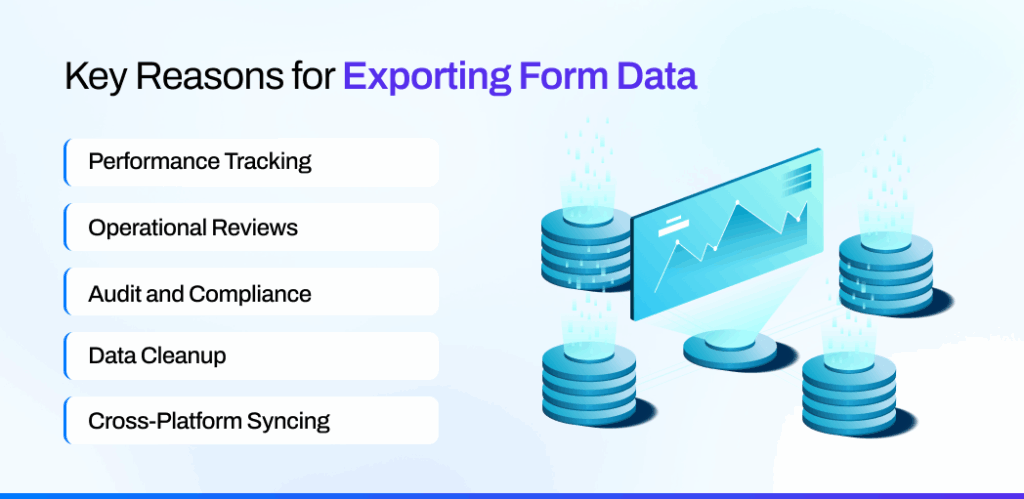
Key Reasons for Exporting Form Data
Different teams rely on exported form submissions for different reasons. Some want quick insights; others want historical backups. A few common use cases appear across most organizations:
Performance Tracking
Sales and marketing teams often pull responses into Excel to measure form effectiveness, track lead quality, or assess campaign performance without building a full Salesforce report. Using a Salesforce form creation tool like Forms Made Easy makes this process seamless.
Operational Reviews
Service teams export fields to review recurring issues, categorize customer feedback, or map patterns that might not be obvious inside Salesforce form solutions.
Audit and Compliance
Some industries require form data to be stored outside the CRM as part of compliance routines. CSV exports offer a clean way to maintain snapshots of the information, especially when using Salesforce form builder solutions.
Data Cleanup
Having everything laid out in a sheet helps spot duplicates, incorrect entries, incomplete fields, or values that might need recategorizing before re-importing.
Cross-Platform Syncing
When teams use additional tools – such as finance systems, analytics platforms, or marketing automation – a CSV export becomes a bridge for moving Salesforce form data into those environments. Salesforce online form builder tools like Forms Made Easy simplify this step considerably.
Core Expectations from a Form Submission Export
When someone exports all form submissions from Salesforce using a Salesforce form creation tool, they are usually hoping for a few things to go right:
- Exact Data Export
A complete CSV export ensures no values get dropped – including related data that might exist on the parent record. - Data Filter:
Sometimes only specific records matter. In other cases, every submission for a quarter or a campaign is needed. Users expect filters, not all-or-nothing exports. - Clean Column Structure
If fields appear in the wrong order or include system names instead of readable labels, working with the CSV becomes unnecessarily difficult. - Quick Data Export
Waiting minutes or hours for a simple batch of form submissions can break the workflow, especially when teams need the file during a meeting or review cycle. Salesforce form solutions like Forms Made Easy ensure speed and reliability in this process.
How CSV Exports Make Salesforce Data Easier to Explore
Once the form submissions land in a spreadsheet, teams have far more room to explore the data the way they prefer.
- Data Sorting and Filtering
Excel or Google Sheets let users slice the data in ways that may feel quicker than building Salesforce reports. - Ad-Hoc Analysis Without Setup
Users can test ideas, look for patterns, or validate assumptions without touching dashboards or modifying report types. Salesforce online form builder exports facilitate this. - Merging With External Data
Some insights appear only when Salesforce form data is combined with information from another team. For example, merging form submissions with offline customer activity or financial metrics. - Custom Visualizations
Not every chart or display needs to live inside Salesforce. A spreadsheet often offers more creative freedom, especially for one-off presentations.

Common Challenges in Form Data Export
Exporting all form submissions isn’t always straightforward. Common pain points include:
- Hitting data size limits when a large number of submissions need to be exported
- Losing attachments or file uploads captured through Salesforce form builder solutions
- Struggling to export related fields from connected objects
- Lack of filtering options, forcing users to export everything and clean it manually
- Difficulty exporting submissions in a user-friendly format
- Re-exporting the same data repeatedly because there’s no option to save preferences
These are the issues that eventually push teams to look for more reliable export functionalities inside Salesforce using the Salesforce form creation tool like Forms Made Easy.
Therefore, let’s discuss further the smooth steps of actually exporting your Form Submission data into a CSV file for free.
Steps to Export Form Submissions to CSV
Here are the quick steps to easily export all your submission data using the best Salesform form creation app, Forms Made Easy.
Step 1: To install and connect the Forms Made Easy via Salesforce App Exchange, you can check the video tutorial, where you will get clear instructions for easy setup.
Step 2: After the installation, without leaving the app, you can easily create your own form, design it your way with your brand logo, and make it live however you want.
Note: Quick guide to create forms for free.
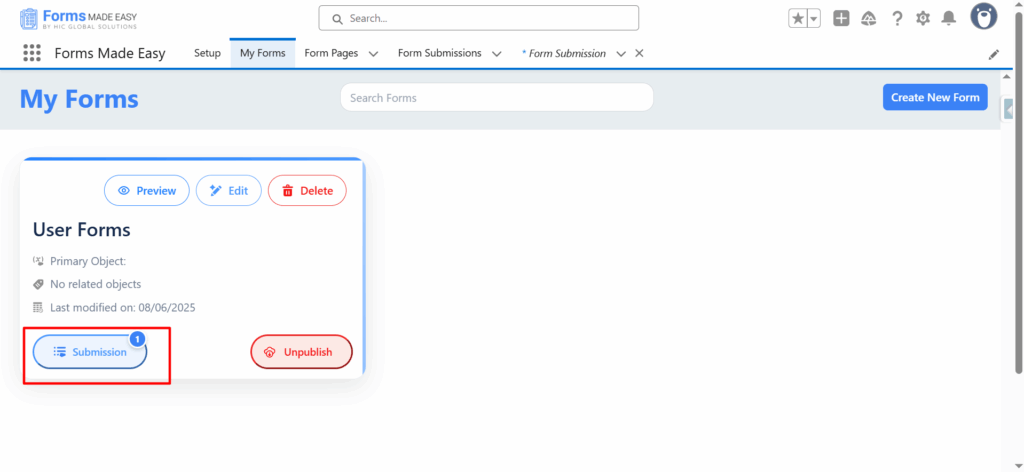
Step 3: Now your form is live and easy to share. To check the submissions, click on the My Forms tab. Then you have to click on the Submission button of your created form.
Step 4: At last, click on the Export CSV button.
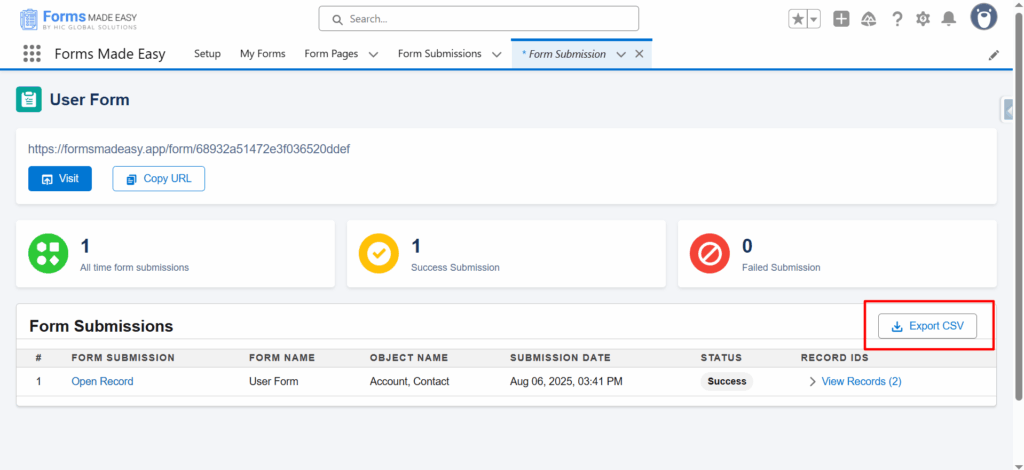
All your submissions will be exported to the CSV file, and you can view it from any device instantly.
Significance of a Reliable Export Feature
Teams rely on form data constantly, and exports become a part of daily operations not a once-in-a-year task. A dependable export process ensures:
- Data stays accessible even outside Salesforce
- Teams can collaborate without extra licenses
- Analysts and decision-makers can work with information in the format they find most comfortable
- No time is wasted repeating the same cleanup steps
- Insights reach the right people faster
When exports work smoothly, the focus shifts back to the actual analysis, not the effort required to get the data out. Many Salesforce online form builders and Salesforce form solutions, like Forms Made Easy, help achieve this effortlessly.
Final Thoughts
Form submissions are much more than a collection of fields; they represent customer intent, service quality, team performance, and business trends. Exporting them as a CSV (comma-separated values) file opens the door for deeper analysis and broader collaboration, making Salesforce data easier to work with beyond the platform.
A well-designed CSV export process ensures that users can examine, share, and understand their form data whenever they need it, without relying on complex tools or time-consuming workarounds. Salesforce form generator tool – Forms Made Easy provides a practical, user-friendly solution to achieve this seamlessly.