loader
Logo Menu Icon
Blog

Stay ahead with the latest tips, trends, and expert insights

Product Overview

Discover what’s new, improved, and fixed in our latest updates

Support Center

Get quick answers and step-by-step guidance whenever you need help

Resource Image

Build dynamic, AI-powered, no-code web-to-lead forms in Salesforce with Forms Made

Create Your First Form

How to Assign Permission Sets for Forms Made Easy in Salesforce (Step-by-Step Guide)

Share article via
Published on May 20, 2026 | By Team Forms Made Easy 2 Mins Read
How to Assign Permission Set for Form Made Easy

Turn Forms Into Automated Workflows

Design dynamic forms, streamline operations, and eliminate repetitive manual tasks — all without code.

Talk to Our Experts

Build Smarter Forms Faster

Create no-code forms inside Salesforce and automate data collection, approvals, and workflows without complexity.

Get Started

Simplify Your Form Workflows

Replace manual processes with intelligent forms that capture, route, and manage data seamlessly in Salesforce.

Book a Demo

When you create a Salesforce form, it’s important to ensure proper access control is in place. Without the correct permissions, teams may face restrictions while managing, editing, or configuring forms.

In the Salesforce form builder like Forms Made Easy, you can easily assign specific roles such as Admin, Standard User, or other designated roles based on responsibilities. This helps you maintain better control over form creation, configuration, publishing, and overall access management.

In this guide, I’ll show you how to assign permission sets easily, step by step.

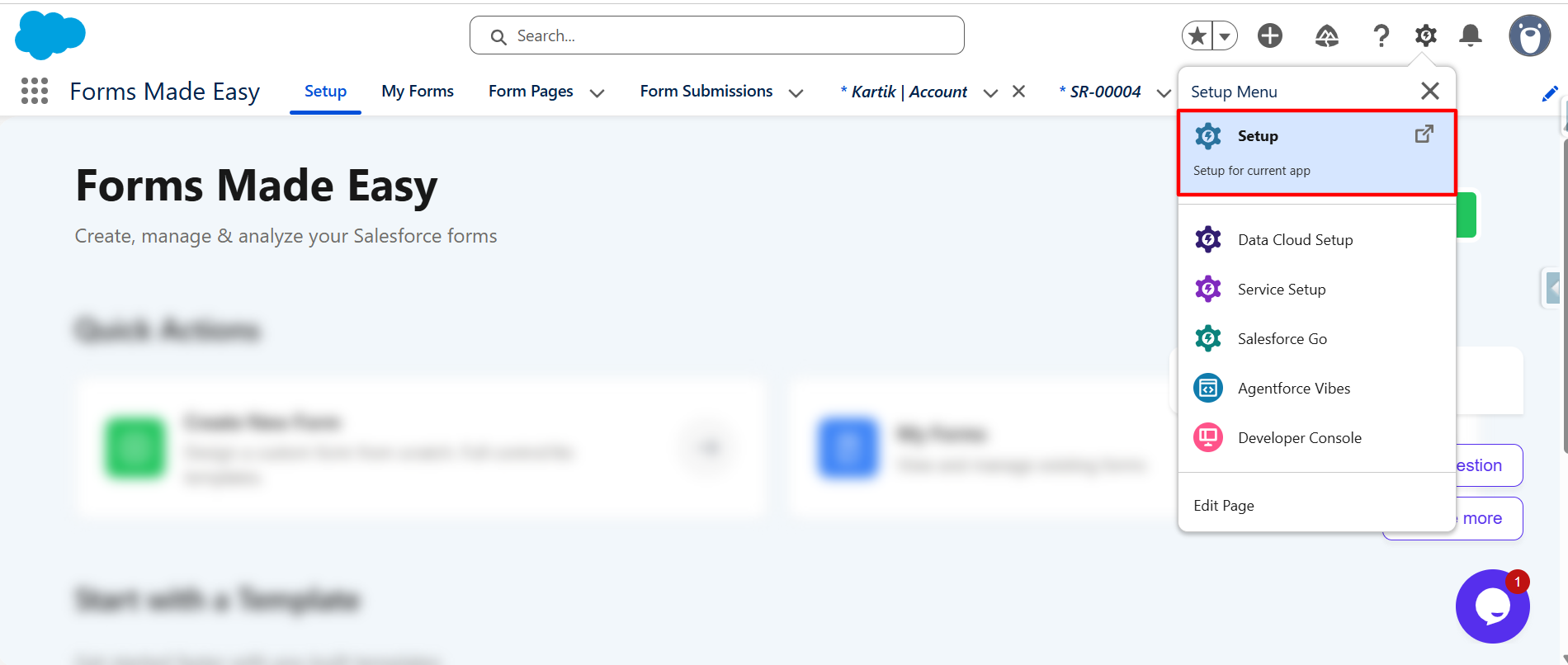
Step 1:  First, you have to click on the Setup icon located in the top-right corner and select Setup to open the Setup page.
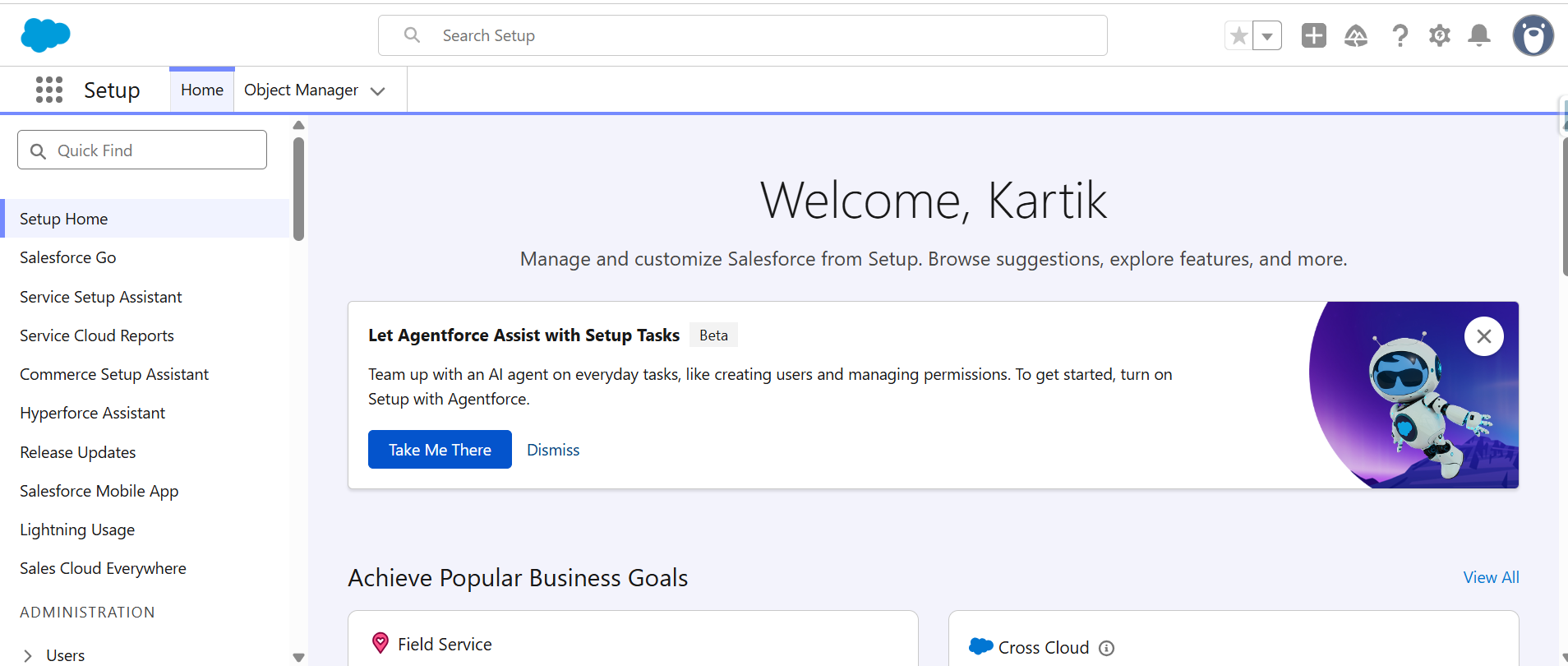
Step 2:
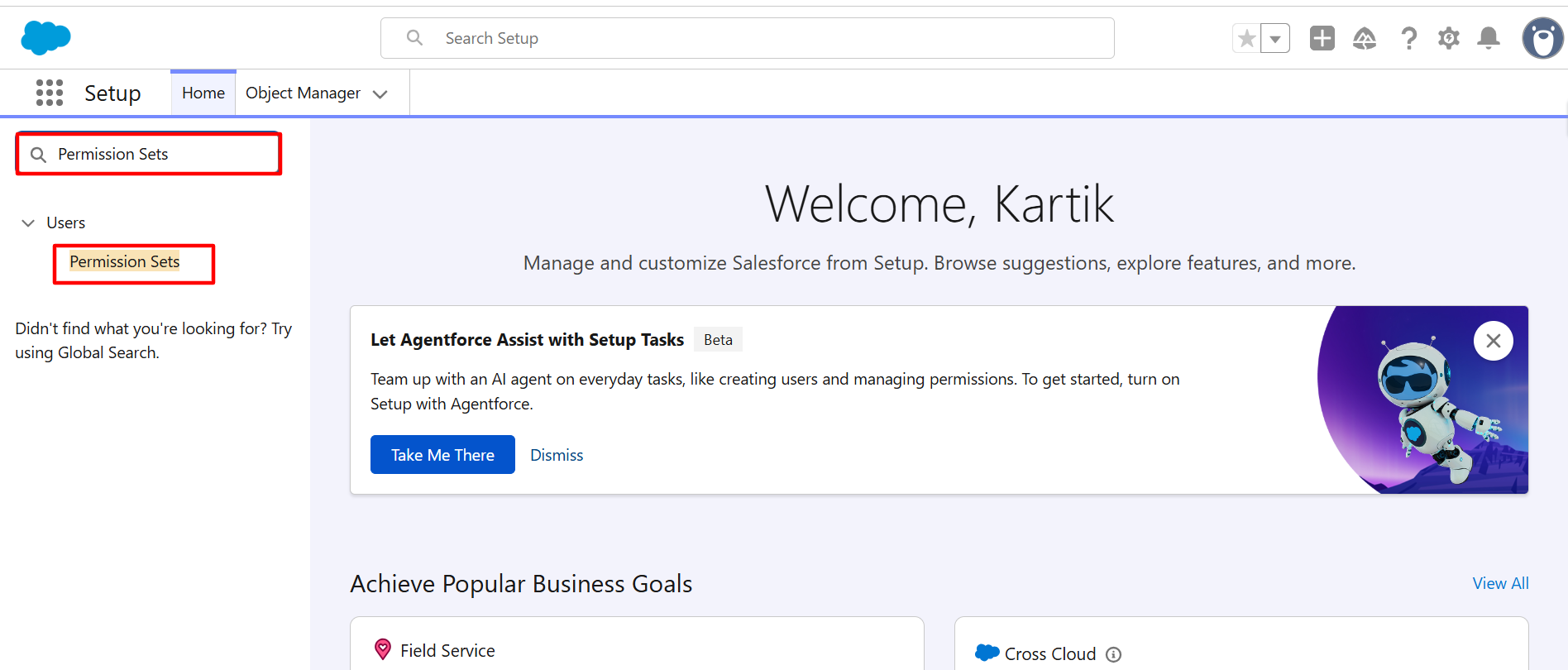
Search for the Permission Sets in Quick Find and open it.

Step 3:
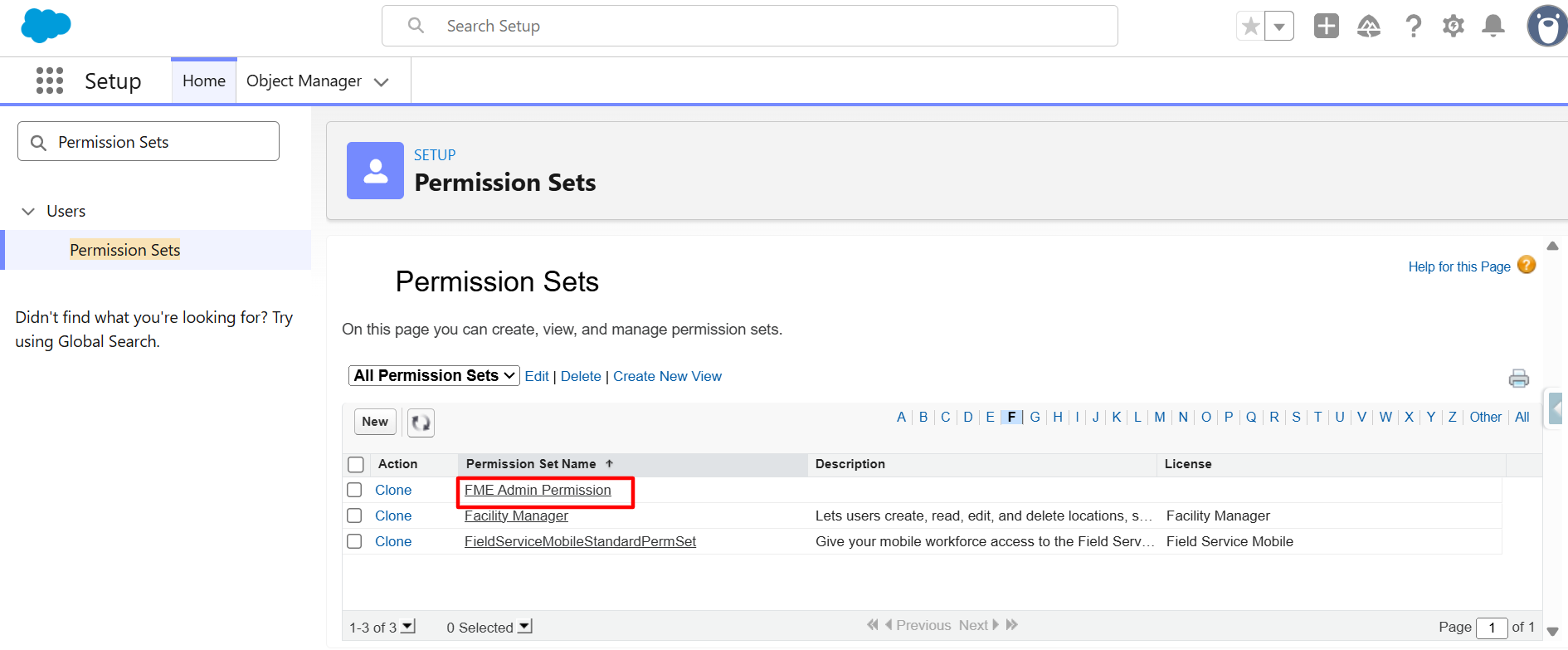
Now, on the Permission Sets page. Find the permission set named “FME Admin Permission”, and click on the Permission Set to open its details.

Step 4:
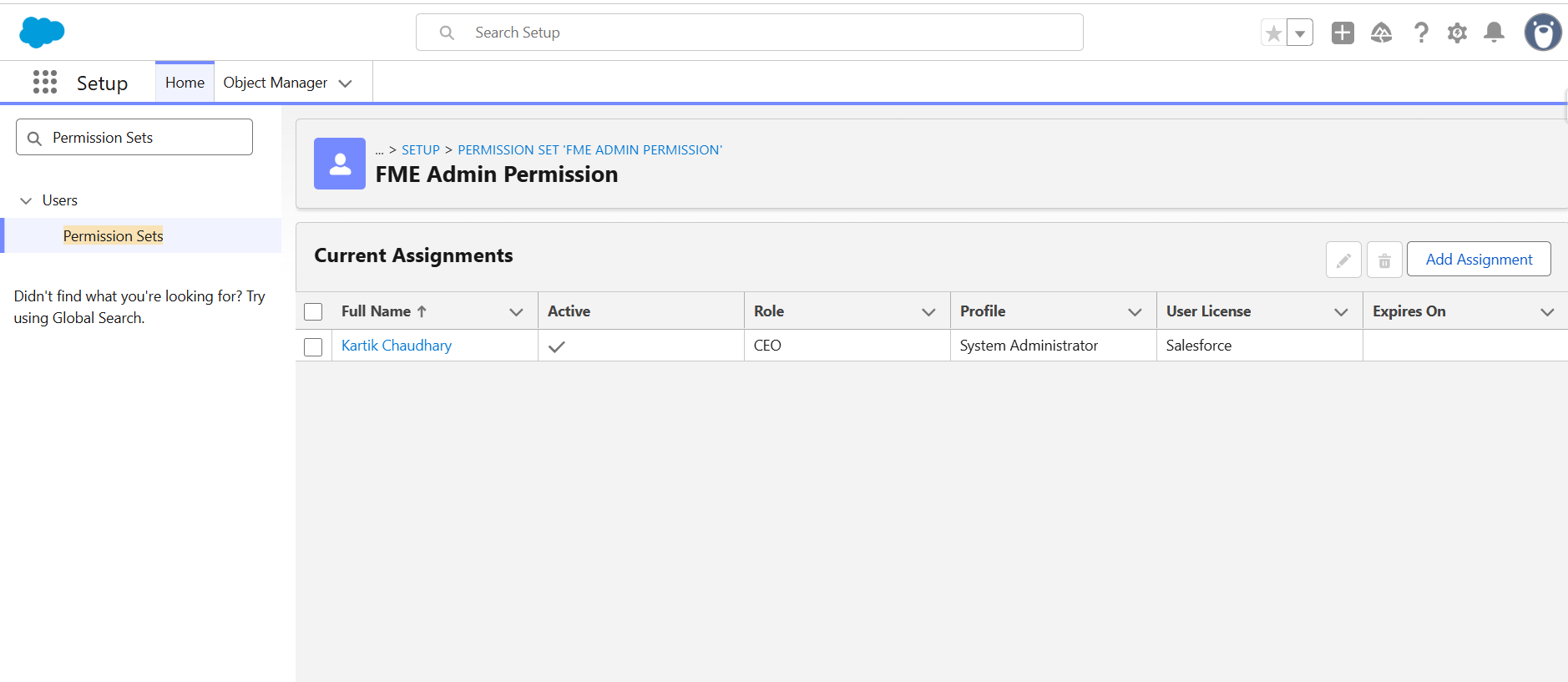
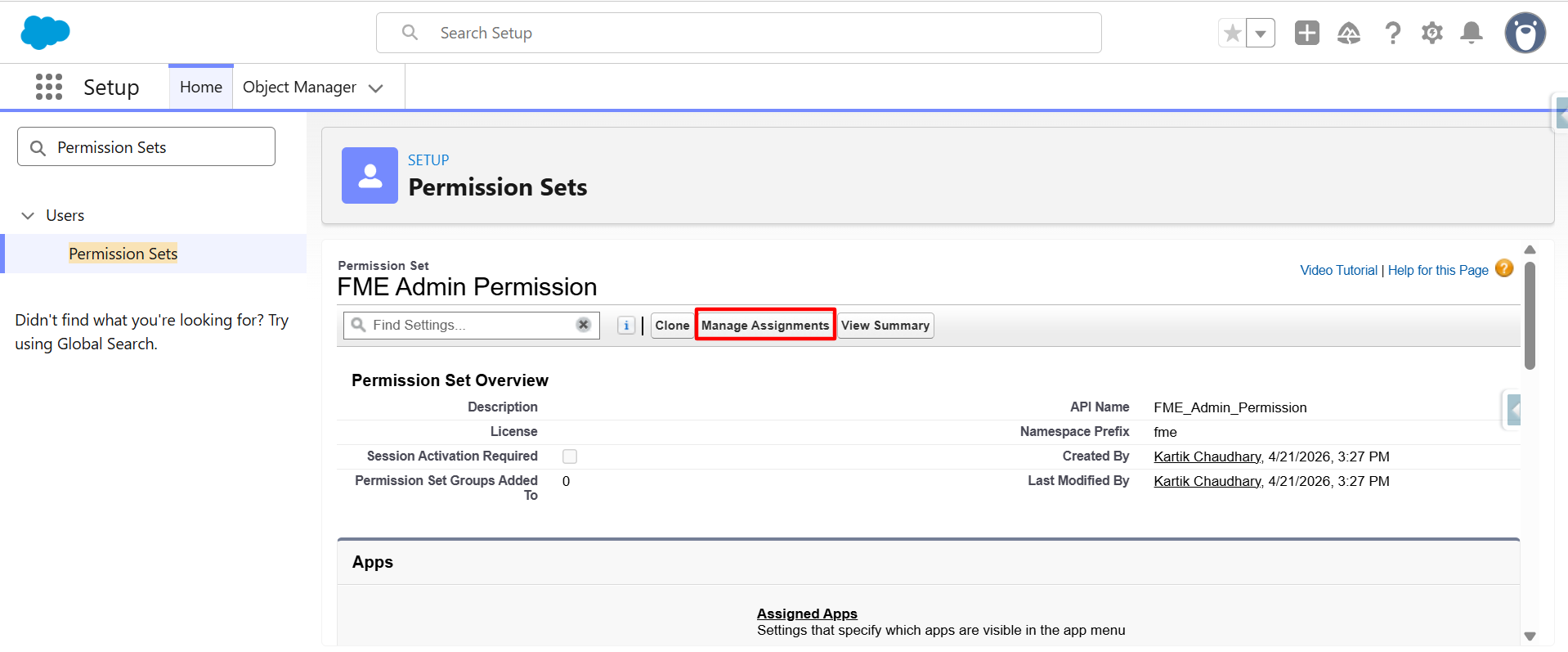
Click on the Manage Assignment.

Step 5:
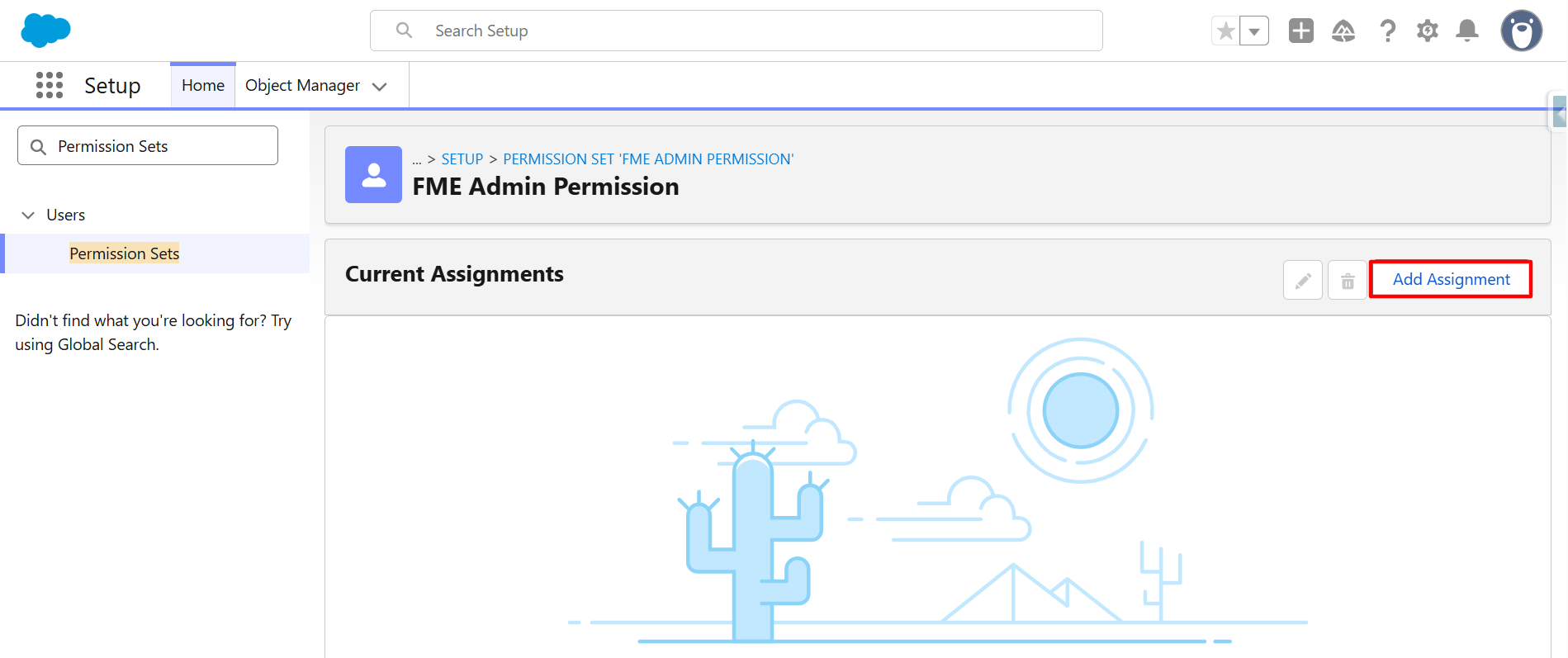
Click on the Add Assignment button.

Step 6:
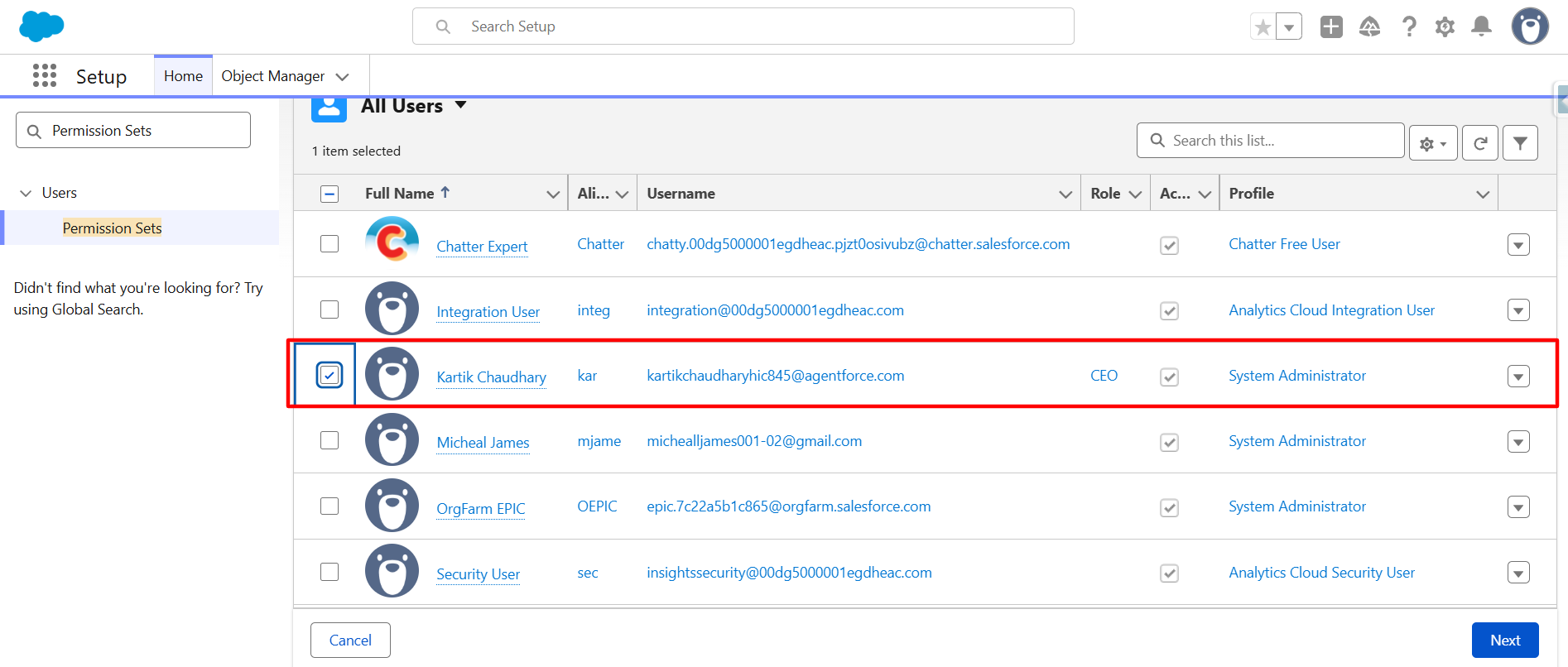
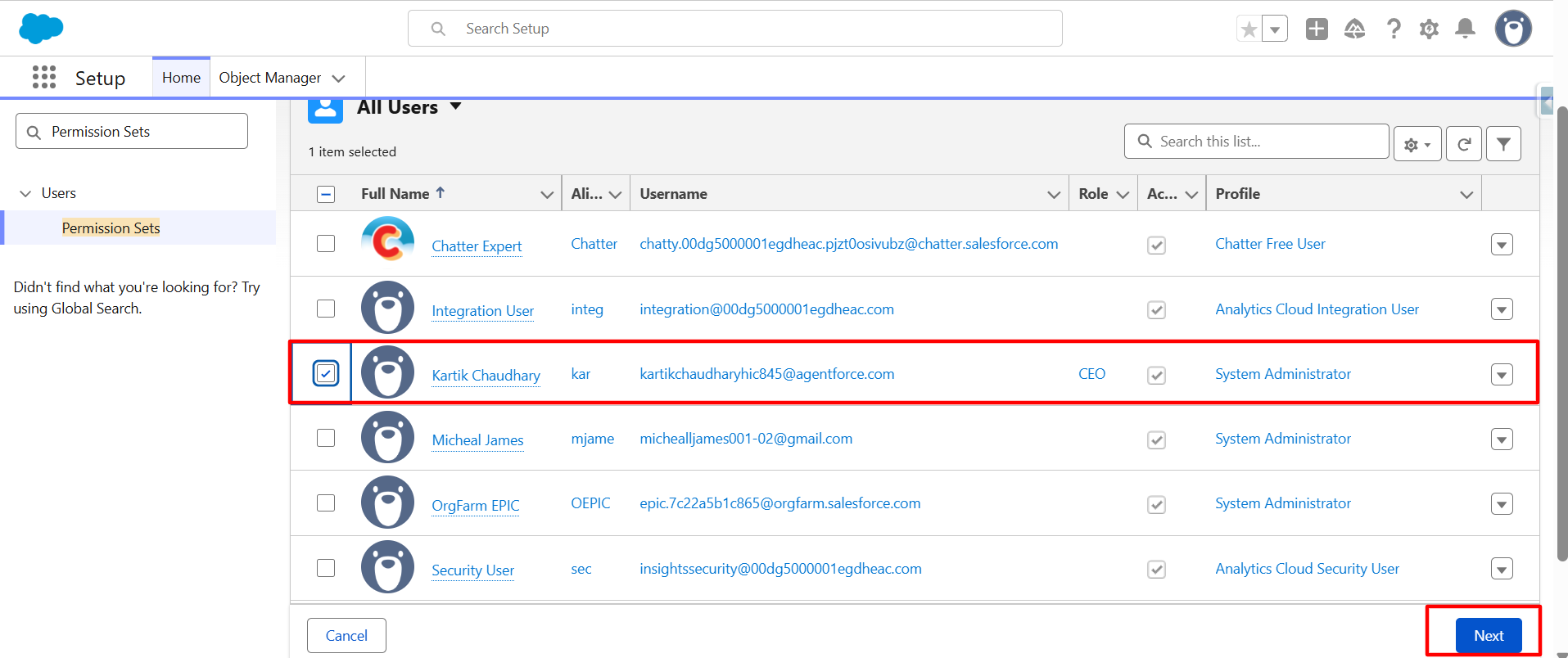
Next, select the User whom you want to assign the permission set of Form Made Easy and click the Next button.
Step 7:
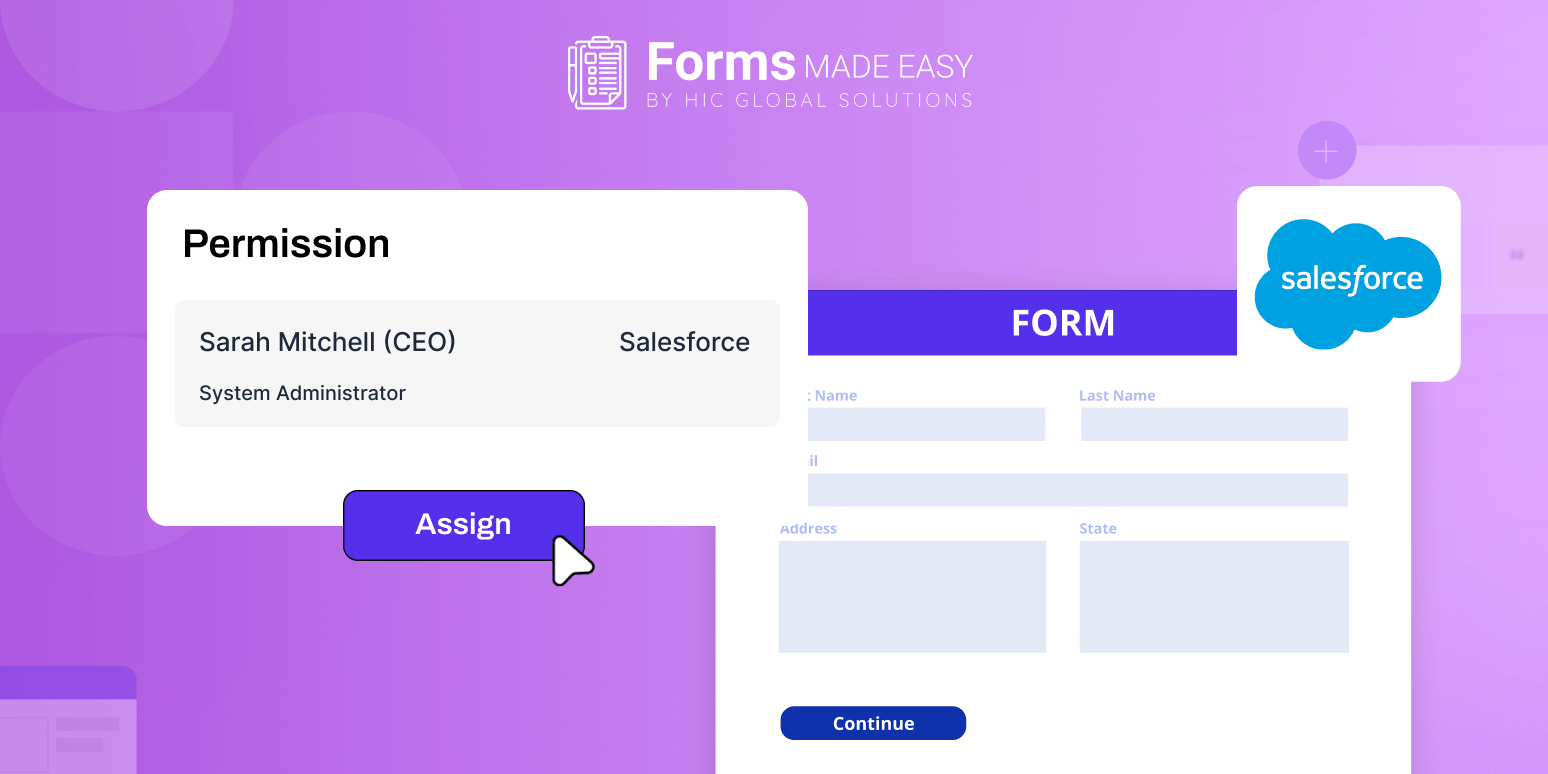
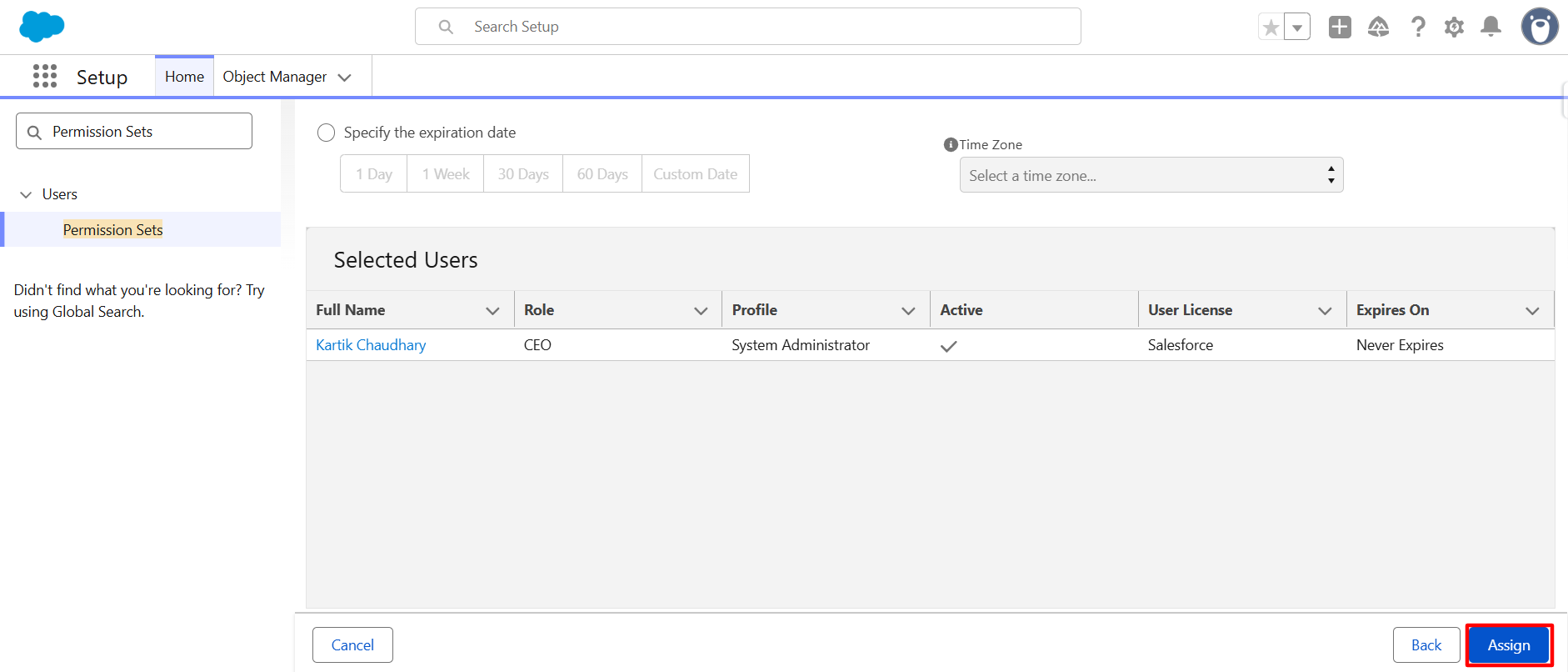
Click on the Assign button to Assign the Permission Set of Form Made Easy.

Conclusion

That’s it, assigning the permission set only takes a few clicks, but it makes a big difference. Once access is given, users can easily manage forms without facing restrictions. Salesforce form builder works smoothly when the right permissions are in place, especially while handling Salesforce form templates. If you need further assistance, please contact support.


Frequently Asked Questions

Yes, Forms Made Easy permission sets control which users can access, edit, or manage Salesforce form templates and related configurations.

Incorrect permissions may prevent users from accessing Forms Made Easy features, managing Salesforce forms, or editing Salesforce form templates properly.

Yes, Forms Made Easy supports role-based access through Salesforce permission sets, helping teams manage Salesforce forms securely and efficiently.

Forms Made Easy simplifies Salesforce form creation, permissions, publishing, and template management with an easy-to-use Salesforce form builder interface.

Recent Posts

Why Scholarship Application Forms Become an Administrative Nightmare During Peak Intake

Scholarship programs are designed to help students move forward academically, but for institutions, peak application season often creates operational pressure…

Why Manual Quality Control Checklists Are Slowing Down Manufacturing Operations

Manufacturing has changed dramatically over the last decade. Production lines are faster, customer expectations are higher, and quality standards continue…

Salesforce Form Builder
Why Forms Made Easy is the Best Tool for Salesforce Form Builder

Collecting data should feel simple. But for many businesses, capturing leads, feedback, registrations, or service requests becomes unnecessarily complicated. Clunky…