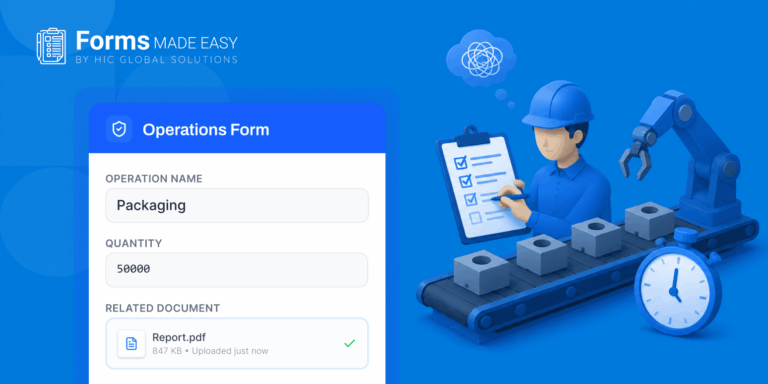



Turn Forms Into Automated Workflows
Design dynamic forms, streamline operations, and eliminate repetitive manual tasks — all without code.
Talk to Our ExpertsBuild Smarter Forms Faster
Create no-code forms inside Salesforce and automate data collection, approvals, and workflows without complexity.
Get StartedSimplify Your Form Workflows
Replace manual processes with intelligent forms that capture, route, and manage data seamlessly in Salesforce.
Book a DemoIf you pay attention to how businesses are working today, you’ll notice a quiet but important shift happening in the background. Teams are moving faster, expectations are higher, and there’s very little tolerance for delays.
In the middle of all this, something as simple as a form has become more important than most people realize.
From capturing leads to onboarding customers, forms sit at the starting point of almost every process. And that’s exactly why companies are now rethinking how they create forms in Salesforce, leading to a growing adoption of a no code form builder within Salesforce.
This shift isn’t happening because it sounds modern. It’s happening because the old way of doing things just doesn’t fit anymore. So, let’s go through this write-up to understand the shift, explore use cases across different industries, and discover the best Salesforce forms builder you can trust for data security.
Why the Traditional Approach Started Breaking Down
Not too long ago, creating forms in Salesforce was tightly tied to development teams. Even a small change, like adding a field or updating logic, meant raising a request and waiting for it to be implemented.
At first, that seemed manageable. But as businesses scaled and processes became more dynamic, that dependency started slowing everything down.
Marketing teams couldn’t launch campaigns on time. Sales teams had to work with outdated forms. Operations teams were stuck adjusting their workflows around system limitations.
That’s where a no code form builder started making sense. It removed the waiting time and gave control back to the people who actually use the forms every day.
According to Salesforce, nearly 80% of organizations are already using low-code or no-code tools to speed up development. That’s not just a statistic, it reflects a shift in how businesses think about building systems.
What Makes a Salesforce Form Builder So Useful
A Salesforce form builder is designed to simplify something that used to be unnecessarily complicated.
Instead of writing code, users can create forms visually. They can decide what fields to include, how the form should behave, and what should happen after submission, all without needing technical expertise. This flexibility makes it much easier for teams to create forms in Salesforce quickly and adapt them as business needs evolve.
What makes it even more practical is how everything connects behind the scenes. When you build forms in Salesforce, the data flows directly into your CRM. There’s no extra step, no syncing issues, no manual work.
And when dynamic forms Salesforce comes into the picture, forms stop being static altogether. They start responding to user input in real time, making the entire experience smoother and more relevant.
Industry Use Cases: Where No-Code Forms Are Making an Impact
Each industry uses different categories of forms for data collection. So, here is a detailed breakdown of real use cases of forms across various industries.
Healthcare: Making Patient Interactions Simpler
In healthcare, forms are often the first interaction a patient has with a system. Whether it’s for registration, appointment booking, or feedback, the experience needs to feel simple and trustworthy.
Using forms in Salesforce, healthcare providers can collect patient information efficiently while ensuring data security. With dynamic forms Salesforce, they can show only relevant fields based on patient responses, which reduces confusion and makes the process less overwhelming.
Financial Services: Adapting to Constant Change
Financial institutions operate in an environment where rules and compliance requirements change frequently.
A no code form builder allows teams to update forms quickly without relying on developers’ skills. Whether it’s a loan application or a KYC form, updates can be made instantly, ensuring that the business stays compliant without delays.
This flexibility is one of the main reasons financial organizations are increasingly adopting a Salesforce form builder.
Education: Managing Multiple Processes Smoothly
Educational institutions handle a wide range of forms, admissions, registrations, feedback, and more.
Using a Salesforce form builder, they can manage all these processes in one place. Instead of juggling multiple systems, everything becomes centralized.
Dynamic forms Salesforce also helps personalize the experience. For example, a student applying for a course might see different fields based on their previous inputs, making the process more intuitive.
Retail and E-commerce: Improving Customer Experience
In retail, speed and experience go hand in hand.
Businesses use forms in Salesforce for feedback, support requests, and order-related queries. The goal is not just to collect data, but to act on it quickly.
With dynamic forms Salesforce, customers don’t have to deal with long, irrelevant forms. They only see what matters to them, which makes the interaction feel faster and more personalized.
Real Estate: Capturing Leads at the Right Time
In real estate, timing can make all the difference.
Agents depend on quick lead capture and follow-ups. A no code form builder allows them to create and update forms instantly, ensuring they never miss an opportunity.
Using a Salesforce form builder, all the captured data goes directly into the CRM, making it easier to track and respond to potential buyers or sellers.
Forms Made Easy: The Best No-Code Form Builder App
When people talk about “Forms Made Easy,” they’re not just referring to design.
They’re talking about the entire experience, from creation to data handling to submissions.
It is a data collection tool built natively on Salesforce, offering high-level security including 256-bit encryption, SOC 2 compliance, HIPAA compliance, and GDPR readiness. With a 5-star rating, this solution is considered one of the easiest and most reliable tools for secure form creation and data management within the Salesforce ecosystem.
A modern Salesforce form builder focuses on reducing effort at every step. You’re not thinking about technical limitations anymore. You’re simply building what your process needs.
That shift in mindset is what makes these tools so effective.
Features That Actually Make a Difference
Here are the features that make your data collection process smooth and quick!
Drag-and-Drop Interface: Keeping It Simple
One of the first things you notice in a no code form builder is how easy it feels to use.
Instead of dealing with code, you’re working with a visual interface. You can add fields, rearrange them, and structure your form exactly the way you want.
This simplicity is what allows non-technical teams to work independently.
Real-Time Data Sync: No Gaps, No Delays
When you create forms in Salesforce, the data doesn’t sit in isolation.
It flows directly into your CRM in real time. This means teams always have access to updated information without needing to sync or transfer data manually.
That alone saves a significant amount of time and reduces errors.
Dynamic Behavior: Forms That Adapt
Dynamic forms Salesforce brings a completely different level of intelligence to forms.
Instead of showing every field to every user, forms adjust based on inputs. This makes them cleaner, easier to navigate, and far more user-friendly.
It also improves completion rates because users are not overwhelmed with unnecessary fields.
Workflow Automation: Turning Data into Action
A form submission is no longer just about collecting information.
With a Salesforce form builder, it can trigger actions automatically, like assigning leads, sending emails, or starting approval processes.
This turns forms into an active part of your workflow rather than just a starting point.
Mobile Responsiveness: Working Anywhere
Today, a large number of users access forms through mobile devices.
Modern tools ensure that forms in Salesforce work smoothly across all screen sizes. Whether someone is filling out a form on a phone or a desktop, the experience remains consistent.
Security and Compliance: Built into the System
Since everything operates within Salesforce, security is not something you have to worry about separately.
Data protection, access control, and compliance standards are already in place, which is especially important for industries like healthcare and finance.
The Bigger Shift Behind All This
If you step back and look at the bigger picture, this isn’t just about data collection.
It’s about how businesses are changing their relationship with technology. They want systems that are flexible, easy to manage, and quick to adapt.
A no code form builder fits perfectly into that approach. It removes bottlenecks and allows teams to move at their own pace.
Salesforce being recognized as a leader in low-code platforms by Gartner only reinforces how significant this shift has become.
Final Thoughts
The shift to no code and low code tools isn’t just hype anymore, it’s how businesses are actually getting things done faster today.
With a no code form builder, teams don’t have to wait on developers for every small change. They can build and update things on their own, which saves time and keeps work moving. A drag-and-drop form builder makes this even easier by keeping everything connected to the CRM, while dynamic forms Salesforce help create smarter, more user-friendly experiences.
Forms Made Easy isn’t just about data collection; it’s about making the whole process simple, from creation to automation. And the solution is available on AppExchange, businesses can just install and start using it without overcomplicating things.
At the end of the day, data collection in Salesforce is about turning every form submission into smarter decisions and stronger customer relationships.